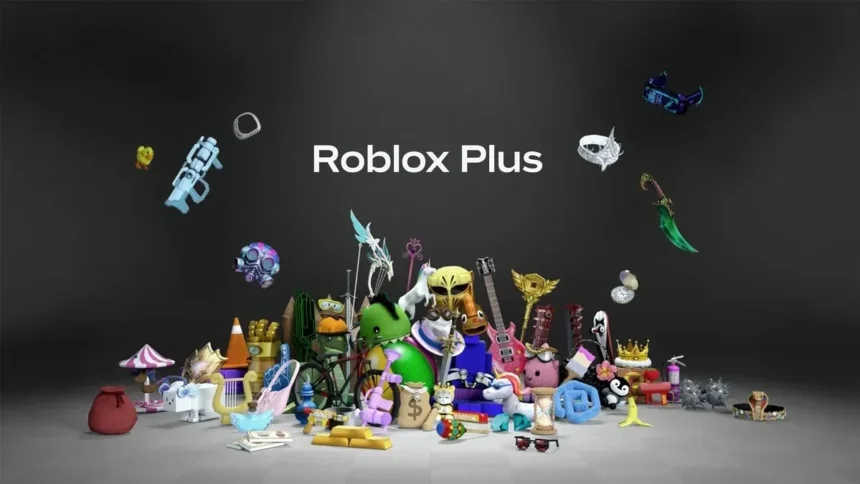
Roblox has grown far beyond a simple gaming platform. Today, it is a massive online world where players can play games, create their own experiences, customize avatars, collect items, trade limiteds, join private servers, and spend Robux on in-game upgrades or accessories.
With so many features now connected to spending, trading, and creating, Roblox has introduced Roblox Plus as a monthly subscription for more active users. It is designed for players who regularly buy avatar items, use private servers, trade collectibles, or want extra benefits while using Roblox.
But before you subscribe, it is important to understand what Roblox Plus actually offers, how much it costs, whether it gives Robux, and how it compares to Roblox Premium. In this guide, we’ll explain what Roblox Plus is, its key features, cost, benefits, limitations, and how to get it safely.
If you are completely new to the platform, you can first read our [How to Play Roblox on PC, Mobile and Console (Beginner Guide 2026)] guide to understand the basics before exploring Roblox Plus.
What Is Roblox Plus?
Roblox Plus is Roblox’s official monthly subscription plan designed for players who use Roblox more actively. It gives extra benefits such as discounts on avatar and in-game items, free private servers, Robux transfer perks, trading access, and creator-focused features.
In simple words, Roblox Plus is not required to play Roblox, but it can be useful if you regularly spend Robux, customize your avatar, use private servers with friends, trade limited items, or create content on the platform.
One important thing to know is that Roblox Plus is different from Robux itself. The standard Roblox Plus plan does not automatically give monthly Robux. It mainly gives platform benefits and savings. However, Roblox also offers separate Roblox Plus bundles that include monthly Robux.
You should also not confuse Roblox Plus with the old third-party “Roblox+” browser extension. Roblox Plus is an official Roblox subscription, while Roblox+ was known as an unofficial browser extension used for extra website features.
For beginners, Roblox may feel confusing at first because there are many features inside the platform. If you are new, you can start with our guide on how to play Roblox on PC, Mobile and Console before exploring paid features like Roblox Plus.
Roblox Plus Cost: How Much Does It Cost?
Roblox Plus costs $4.99 per month for the standard subscription plan. This is the base Roblox Plus membership that gives users access to platform benefits such as item discounts, free private servers, Robux transfer perks, trading access, and creator features.
However, the standard Roblox Plus plan does not include monthly Robux. This is an important point because many players may confuse Roblox Plus with the older Roblox Premium membership, which included a monthly Robux allowance.
Roblox also offers separate Roblox Plus bundles for users who want monthly Robux with their subscription:
| Plan | What It Includes |
|---|---|
| Roblox Plus | Roblox Plus benefits only |
| Roblox Plus 500 | Roblox Plus benefits + 500 monthly Robux |
| Roblox Plus 1000 | Roblox Plus benefits + 1,000 monthly Robux |
| Roblox Plus 2000 | Roblox Plus benefits + 2,000 monthly Robux |
So, if you only want Roblox Plus benefits, the standard plan is enough. But if you also want Robux every month, you need to choose one of the Roblox Plus Robux bundles instead.
Roblox Plus can be purchased through the official Roblox website, desktop app, Apple App Store, or Google Play Store. You should avoid buying Roblox Plus from third-party websites, as fake “free Roblox Plus” offers can be scams.
Roblox Plus Features
Roblox Plus includes several benefits for players who spend more time on Roblox, buy items often, use private servers, trade collectibles, or create content for the platform. These features are mainly designed to give active users more value from their monthly subscription.
1. Discount on In-Game and Avatar Items
One of the biggest Roblox Plus features is the item discount. Subscribers get an immediate 10% discount on eligible in-game items, avatar items, and more. Roblox also says the discount increases to 20% starting from the third consecutive month of the subscription.
This can be useful if you regularly buy avatar accessories, clothing, bundles, game passes, or other paid items inside Roblox experiences. Over time, the discount can help your Robux last longer, especially if you spend frequently.
If your main focus is avatar customization, you can also read our guide on How to Create and Customize Your Roblox Avatar.
2. Free and Unlimited Private Servers
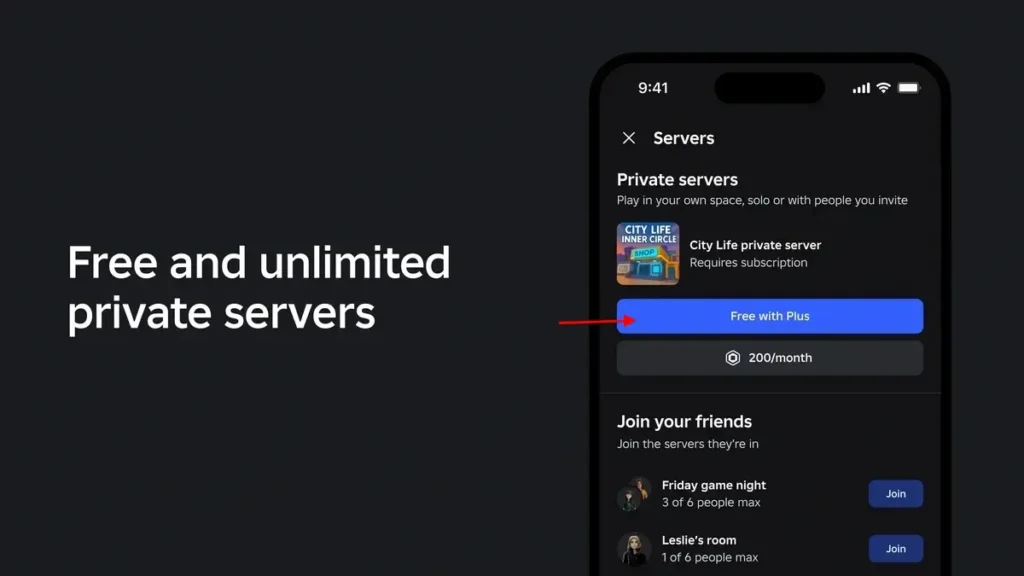
Roblox Plus also gives subscribers access to free and unlimited private servers across supported games. Private servers let you create your own version of a game and control who can join.
This is helpful if you want to play only with friends, avoid random players, host roleplay sessions, practice in a quiet server, or create a safer space for younger players.
If you are new to this feature, check our guide on How to Join Private Servers in Roblox.
3. Robux Transfer Benefits
Roblox Plus includes Robux transfer benefits, allowing eligible users to send Robux to other users without platform fees. This feature is useful for creators, friends, groups, or users who need a simpler way to share Robux inside Roblox.
However, Roblox places safety restrictions on this feature. Users may need to meet age, verification, or parental approval requirements before sending or receiving Robux.
If you are mainly looking for safe ways to earn Robux, read our guide on How to Get Free Robux in Roblox to avoid scams and fake generator websites.
4. Trading and Reselling Avatar Items
Roblox Plus gives users access to trading and reselling eligible items, including limited avatar items. Roblox Support also lists an active Roblox Premium or Roblox Plus subscription as a requirement for reselling limited items.
This feature is best for players who collect limiteds, understand item values, or want to take part in the Roblox trading economy. Beginners should learn how trading works before making big trades, because item values can change quickly.
For a full walkthrough, read our How to Trade Items in Roblox guide.
5. Creator and Marketplace Benefits
Roblox Plus is also useful for creators who want to publish, sell, or manage avatar-related items. These benefits are more relevant for users who are interested in Roblox UGC, marketplace selling, or building a creator business.
If you want to start creating your own Roblox experience first, you can read our guide on How to Create a Game in Roblox.
6. Roblox Plus Profile Logo
Subscribers also get a Roblox Plus logo on their profile. This is a small visual benefit, but it helps show that the account has an active Roblox Plus subscription.
It does not change gameplay by itself, but some users may like it as a profile badge or status indicator.
Roblox Plus Benefits: Who Is It Best For?
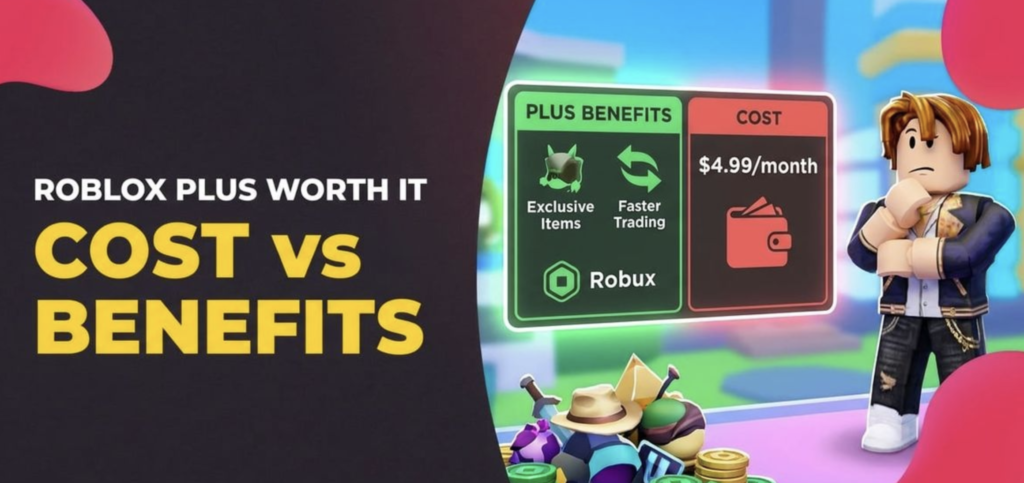
Roblox Plus is mainly useful for players who use Roblox regularly and spend Robux often. It is not a must-have subscription for every player, but it can offer good value if you take advantage of its discounts, private servers, trading features, and creator tools.
Roblox Plus Is Best For Active Roblox Players
If you buy avatar items, game passes, accessories, or in-game upgrades often, Roblox Plus can help you save Robux through its discount benefit. The standard discount starts at 10%, and after three consecutive months, it can increase to 20%.
This means the more you spend inside Roblox, the more useful the subscription becomes.
Roblox Plus Is Useful for Private Server Players
Roblox Plus is also a strong option for players who often use private servers. Private servers are helpful when you want to play only with friends, avoid crowded public servers, practice in peace, or host your own small Roblox sessions.
If you regularly create or join private servers, Roblox Plus can be more useful than paying separately for private server access in different games.
You can also read our guide on How to Add Friends in Roblox if you want to build your friend list before using private servers.
Roblox Plus Is Good for Traders and Collectors
Players who trade limited items or resell avatar items may also benefit from Roblox Plus. Since trading and reselling are more advanced Roblox features, this subscription is better for users who understand item value, demand, rarity, and marketplace activity.
If you are new to trading, start with our How to Trade Items in Roblox guide before making expensive trades.
Roblox Plus Is Helpful for Roblox Creators
Roblox Plus can also be valuable for creators who publish or sell avatar items on the Roblox Marketplace. If you are serious about creating games, avatar items, or building a Roblox-based creator profile, the subscription can support your long-term activity on the platform.
For beginners, our How to Create a Game in Roblox guide is a good place to start.
Roblox Plus May Not Be Worth It for Casual Players
Roblox Plus may not be worth buying if you only play free Roblox games, rarely spend Robux, do not use private servers, and are not interested in trading or creating items.
It is also not the best choice if your only goal is getting monthly Robux. The standard Roblox Plus plan does not include monthly Robux, so you would need to choose a Roblox Plus bundle that includes Robux instead.
In simple words, Roblox Plus is best for regular Roblox users, not casual players who only log in occasionally.
Roblox Plus vs Roblox Premium: What Is the Difference?
Roblox Plus is the newer subscription plan, while Roblox Premium is the older Roblox membership. Both are paid subscriptions, but they are not exactly the same.
Roblox Premium mainly focused on giving users a monthly Robux stipend and access to trading. Roblox Plus focuses more on platform benefits, such as discounts, private servers, Robux transfers, trading, reselling, and creator features.
| Feature | Roblox Plus | Roblox Premium |
|---|---|---|
| Monthly Robux | No, unless you choose a Plus Robux bundle | Yes, for existing Premium members |
| Item discounts | Yes, 10% to 20% discount | No |
| Free private servers | Yes | No |
| Robux transfers | Yes, for eligible users | No |
| Trading access | Yes | Yes |
| Reselling limited items | Yes | Yes |
| Creator/Marketplace benefits | Yes | Limited |
| Available for new purchase | Yes | No longer available for new purchase |
Roblox has confirmed that Roblox Plus became available globally on April 30, 2026. With the launch of Roblox Plus, Roblox Premium is no longer available for new purchases. However, existing Premium members can continue using their membership as long as they do not cancel it.
In simple words, Roblox Plus is better for users who want discounts, free private servers, Robux transfer features, and marketplace benefits. Roblox Premium is more useful for existing members who still want monthly Robux through their old membership plan.
For new users, Roblox Plus is now the main subscription option. If you mainly want monthly Robux, you should choose one of the Roblox Plus Robux bundles instead of the standard Roblox Plus plan.
How to Get Roblox Plus
You can get Roblox Plus directly from Roblox through supported platforms. Since this is a paid monthly subscription, you should only subscribe through the official Roblox website, Roblox app, Apple App Store, or Google Play Store.
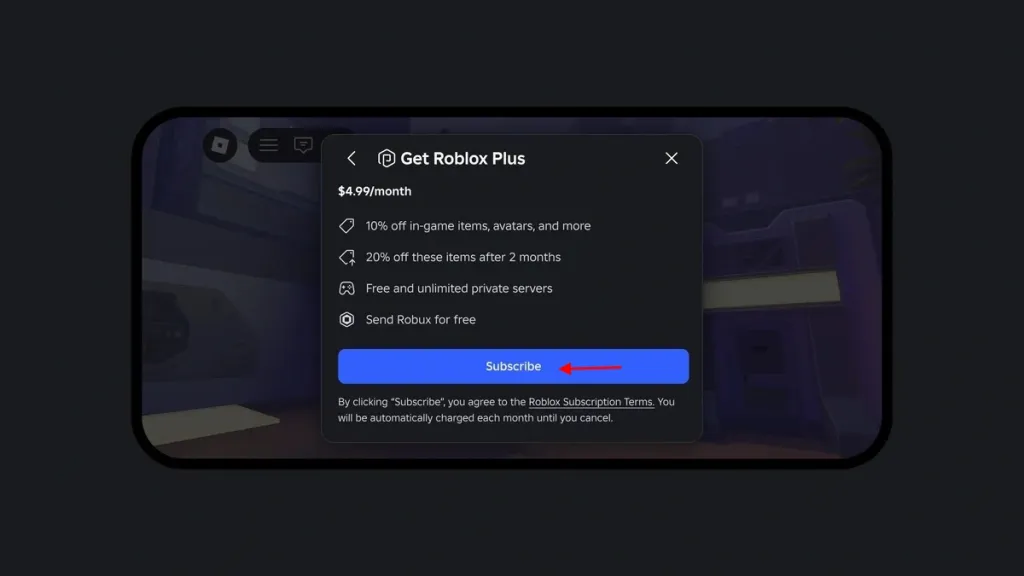
How to Get Roblox Plus on Web or Desktop
- Open Roblox on your browser or desktop app.
- Log in to your Roblox account.
- Go to the Roblox Plus or subscription page.
- Choose the standard Roblox Plus plan or a Roblox Plus bundle with monthly Robux.
- Select your payment method.
- Confirm the subscription.
Once the purchase is complete, Roblox Plus benefits should be added to your account. If the benefits do not appear immediately, refresh Roblox, restart the app, or check your subscription status.
How to Get Roblox Plus on iPhone or iPad
- Open the App Store.
- Update the Roblox app to the latest version.
- Open Roblox and log in to your account.
- Go to the Roblox Plus subscription option.
- Choose your plan.
- Complete the purchase using Apple App Store billing.
How to Get Roblox Plus on Android
- Open the Google Play Store.
- Update the Roblox app.
- Open Roblox and sign in.
- Find the Roblox Plus subscription option.
- Select your plan.
- Complete the purchase through Google Play billing.
Where Roblox Plus Is Not Supported
Roblox says Roblox Plus is not available for purchase through some platforms, including Gift Card Credits, the Samsung Galaxy Store version of Roblox, PCGDK, Microsoft Handheld, Quest, or other consoles.
If Roblox Plus does not show up on your device, update the app first and check whether your platform supports the subscription. If Roblox is not loading properly, you can also follow our How to Fix Roblox Not Working guide before trying again.
How to Cancel Roblox Plus
You can cancel Roblox Plus anytime before the renewal date. After canceling, your subscription will not renew again, but you can continue using Roblox Plus benefits until the end of the billing period you already paid for.
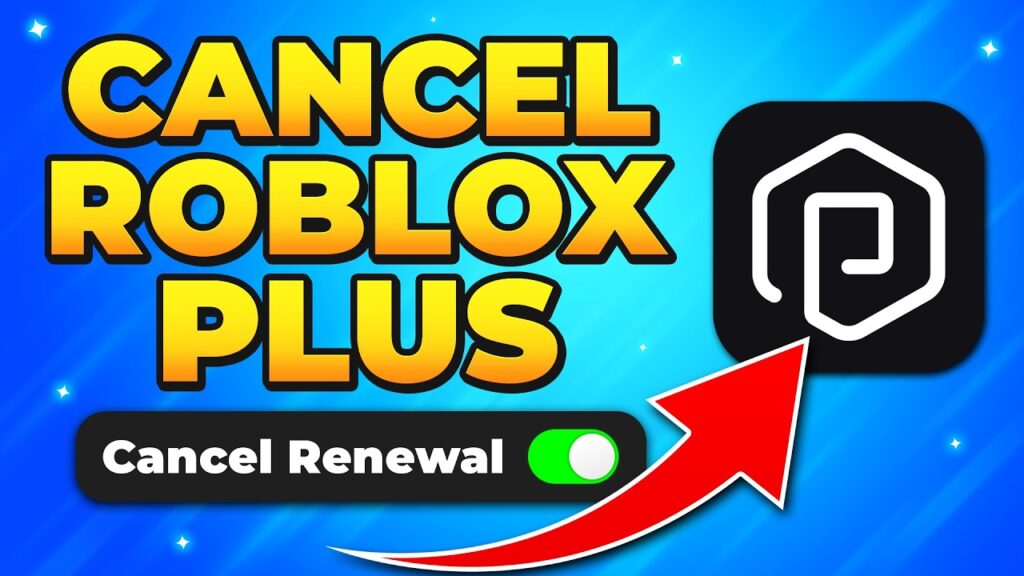
Steps to Cancel Roblox Plus
- Log in to the Roblox account where Roblox Plus is active.
- Go to Settings.
- Open the Subscriptions section.
- Find your active Roblox Plus subscription.
- Click the arrow or details option next to the subscription.
- Select Cancel Renewal.
- Follow the on-screen steps to confirm cancellation.
Once you cancel, Roblox Plus benefits should remain active until your current subscription period ends. After that, the benefits will stop automatically.
Important Things to Know Before Canceling
Roblox Plus subscriptions are recurring, so you should cancel before the next renewal date if you do not want to be charged again.
Roblox also says subscription purchases are generally non-refundable. This means canceling stops future renewals, but it usually does not refund the current billing cycle.
If you subscribed through the Apple App Store or Google Play Store, you may also need to manage or cancel the subscription from your Apple ID or Google Play subscription settings.
If you subscribed through the Apple App Store or Google Play Store, you can also cancel it from your device’s subscription settings. However, Roblox says managing it from the Roblox Subscriptions page is often easier.
Is Roblox Plus Worth It?
Roblox Plus is worth it for players who use Roblox often and take advantage of its paid features. If you regularly buy avatar items, spend Robux inside games, use private servers, trade limited items, or sell avatar items, the subscription can give you more value over time.
The biggest benefit is the item discount. Roblox Plus starts with a 10% discount, and Roblox says the discount can increase to 20% after three consecutive months. This makes the plan more useful for players who spend Robux frequently, because the savings can add up with repeated purchases.
Roblox Plus is also worth considering if you often play with friends in private servers. Since the plan includes free and unlimited private servers in supported experiences, it can be helpful for roleplay players, friend groups, creators, and users who prefer a more controlled server environment.
For traders and collectors, Roblox Plus can also be useful because Roblox lists an active Roblox Premium or Roblox Plus subscription as a requirement for selling eligible limited items.
However, Roblox Plus is not necessary for everyone. If you only play free Roblox games, rarely buy avatar items, do not use private servers, and are not interested in trading or creating content, you may not get enough value from the monthly cost.
It is also important to remember that the standard Roblox Plus plan does not include monthly Robux. If your main goal is getting Robux every month, you should compare the standard plan with the Roblox Plus bundles that include monthly Robux before subscribing.
Overall, Roblox Plus is best for active Roblox users, not casual players. It gives the most value when you actually use the discounts, private servers, trading tools, and creator benefits regularly.
It is most valuable when you use enough Roblox Plus features to justify the monthly cost.
Common Roblox Plus Problems and Fixes
Roblox Plus should normally activate after you subscribe, but some users may still face issues such as the plan not showing, benefits not appearing, payment problems, or private servers not working correctly.
Roblox Plus Not Showing
If Roblox Plus does not appear on your account, first check whether you are using the latest version of Roblox. The feature may not show properly if your Roblox app is outdated.
You can also try opening Roblox from a supported platform, such as the official Roblox website, desktop app, Apple App Store version, or Google Play Store version. Roblox Plus is available globally for $4.99 per month, but Roblox Support notes that some purchase methods and platforms are not supported.
Roblox Plus Benefits Not Appearing
If your Roblox Plus benefits do not appear after purchase, try these steps:
- Refresh Roblox or restart the app.
- Log out and log back in.
- Check your subscription status.
- Confirm that your payment was successful.
- Update Roblox to the latest version.
- Wait a few minutes and check again.
If Roblox still does not work properly after these steps, you can follow our How to Fix Roblox Not Working guide for complete troubleshooting.
Roblox Plus Private Servers Not Working
Roblox Plus gives access to free and unlimited private servers across supported games, but private servers still depend on whether a specific experience supports them. Roblox says private servers allow players to create and manage their own instance of a game, giving them more control over who they play with.
If private servers are not working, check whether that game supports private servers. You should also check your account settings, parental controls, and privacy settings.
For a full walkthrough, read our How to Join Private Servers in Roblox guide.
For a full walkthrough, read our How to Join Private Servers in Roblox guide.
Safety Tips Before Buying Roblox Plus
Before buying Roblox Plus, make sure you understand what the subscription includes and where it should be purchased from. Since Roblox uses real money and Robux, players should be careful with fake offers, scam websites, and unofficial sellers.
1. Buy Roblox Plus Only From Official Sources
You should only buy Roblox Plus from Roblox’s official website, the Roblox desktop app, the Apple App Store, or the Google Play Store. Roblox Plus is a real monthly subscription, so avoid any website or social media post claiming to offer “free Roblox Plus.”
Roblox confirms that Roblox Plus is available globally for $4.99 per month, with benefits such as item discounts, free private servers, trading access, and other subscription perks.
2. Do Not Trust Free Roblox Plus Generators
Any website that asks you to complete surveys, download apps, enter your Roblox password, or verify your account to unlock free Roblox Plus is likely unsafe.
Roblox Plus is a paid subscription. There is no official “generator” that can activate Roblox Plus for free.
3. Never Share Your Roblox Password
Do not share your Roblox username, password, 2-step verification code, or account recovery details with anyone. Roblox Plus benefits are connected to your account, so scammers may target users who are searching for free Robux, free Premium, or free Roblox Plus.
4. Be Careful With Robux Transfers
Roblox Plus includes Robux transfer benefits for eligible users, but you should only send Robux to people you trust. Younger users may also need parent or caregiver approval for certain transfer features.
If you are looking for safe earning options, read our How to Get Free Robux in Roblox guide instead of trusting fake Robux websites.
5. Parents Should Review Subscription Settings
Parents should check billing settings, parental controls, spending limits, and account permissions before allowing younger players to subscribe. This is especially important if the account will use Robux transfers, trading, private servers, or marketplace features.
Roblox Plus can be useful, but it is still a recurring paid subscription. Always review the plan before confirming payment.
Final Thoughts
Roblox Plus is not required to enjoy Roblox, but it can be useful if you are an active player who regularly spends Robux, uses private servers, trades items, or creates content on the platform.
The biggest advantage is the value it gives to frequent users. With item discounts, free private servers, Robux transfer benefits, trading access, and creator-focused tools, Roblox Plus is clearly made for players who do more than just casually play free experiences.
However, it is not the best subscription for everyone. If you rarely buy items, do not use private servers, and only want monthly Robux, you should compare the standard Roblox Plus plan with the Roblox Plus Robux bundles before subscribing.
Overall, Roblox Plus is worth considering for regular Roblox users, avatar collectors, traders, friend groups, and creators. Just make sure you buy it only from official Roblox-supported platforms and avoid any website claiming to offer free Roblox Plus.