Roblox is not just about playing games. It is built around social interaction, where players connect, chat, and explore experiences together. Adding friends is one of the core features of the platform, and it helps you build your own circle within the game.
Once you have friends on Roblox, things open up quite a bit. You can join the same games instantly, access friend-only private servers, and communicate more easily. Roblox currently allows you to add up to 1,000 friends, a major increase from the old limit of 200, which makes building a big network easier than ever.
Roblox has also recently introduced a feature called Trusted Friends, which is a special category for your closest connections. Age-checked users who are 13 and older can add Trusted Friends, which unlocks less restricted chat and other benefits that regular friends do not have.
Here is everything you need to know about how to add friends in Roblox in 2026.
Why Add Friends in Roblox?
Adding friends on Roblox is not simply a function. That immediately improves your gameplay.
- Play together: Jump into the same experiences without searching manually
- Join private servers: Access exclusive servers with your group
- Chat and interact: Talk, message, and coordinate easily
Roblox also has improved communication features such as chat and party systems, especially between trusted connections.
How to Add Friends in Roblox on PC
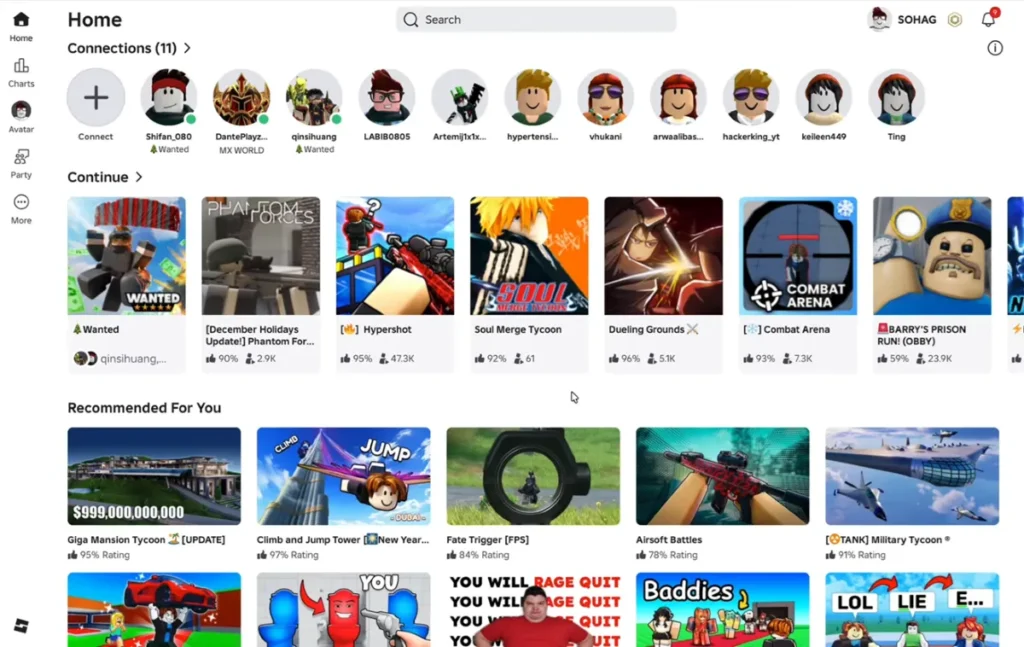
If you are playing on a computer, here’s how to send friend request Roblox.
- Log in your Roblox account
- Go to the search bar at the top of the screen
- Type in the player’s username
- From the results, go to their profile
- Click “Add Friend”
Once the request is sent, the other player must accept it before they appear in your friend list. This was our Roblox add friends tutorial.
How to Add Friends on Mobile (Android & iOS)
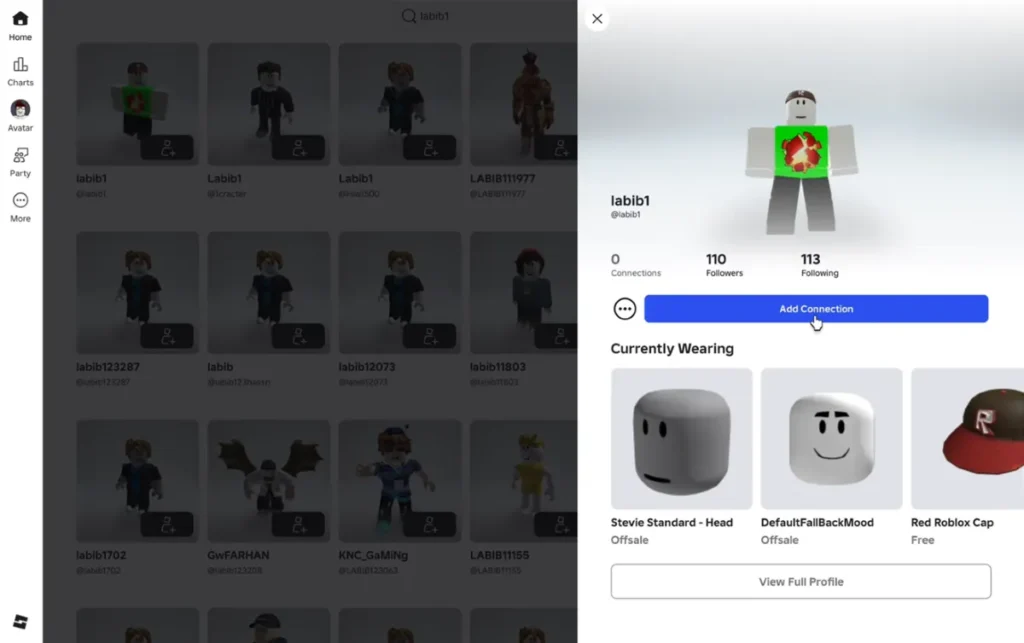
The steps are almost the same on mobile devices:
- Launch the Roblox app
- Click the search icon
- Type in the username
- Open the profile of the player
- Tap “Add Friend”
This works on both Android and iOS, making it easy to connect across devices.
How to Accept Friend Requests
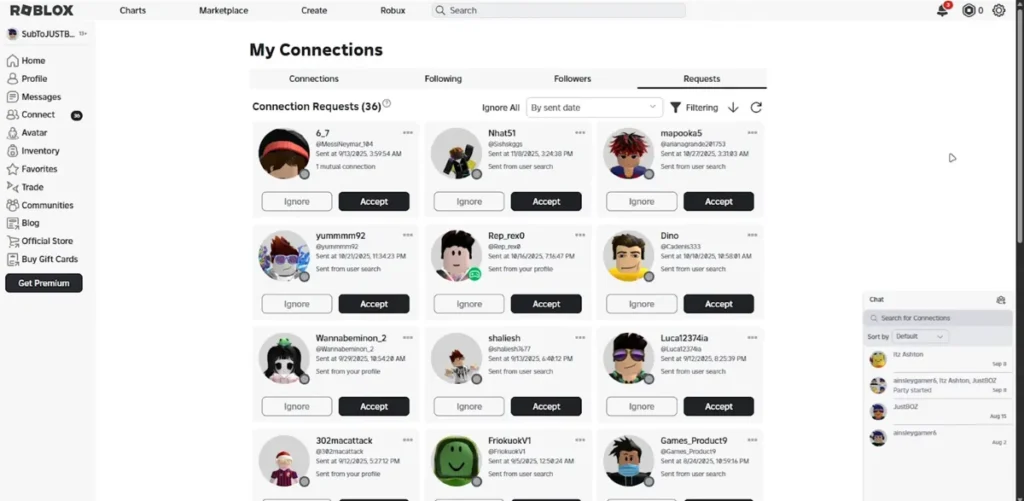
If someone sends you a request, here is how to accept it:
- Go to the Friends or Notifications section.
- Check for requests that are still open
- Click on Accept or Decline.
You will get a message when the request is done.
How to Remove or Block Friends
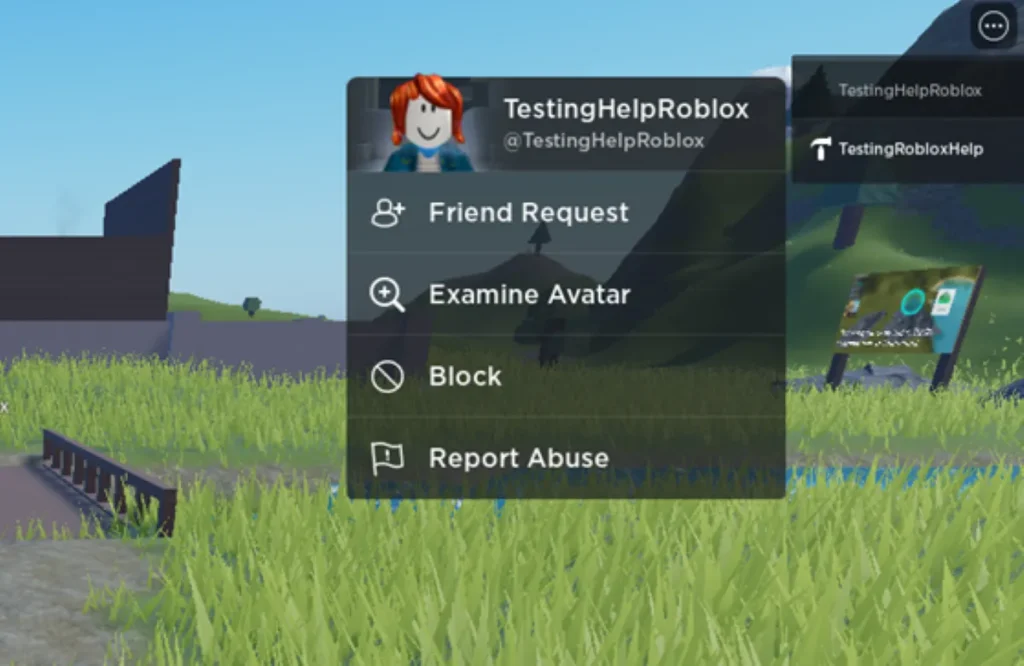
It’s just as important to manage your list as it is to add friends.
- Go to the user’s profile
- To get rid of them, click Unfriend.
- Use Block to stop people from talking to you.
This helps keep your list of friends safe and clean.
How to Find Friends Easily in Roblox
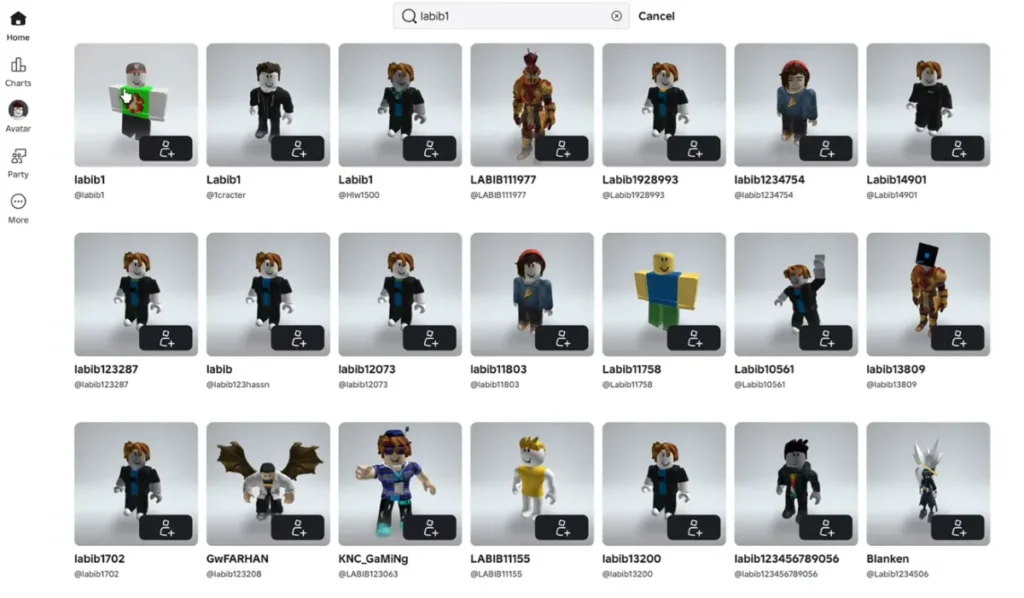
Here’s how to find friends in Roblox:
- Use the username search to get direct results.
- Sync contacts (if available on your device)
- Send other people the link to your profile.
You can also add players directly from the in-game player list.
Why You Can’t Add Friends (Fixes)
Friend requests don’t always work. Here are the most common reasons:
- Privacy settings: The user may have limited requests
- Friend limit reached: Roblox allows up to 1,000 friends
- Wrong username: Even small spelling mistakes can be a problem.
Try again after fixing these problems.
Tips for Playing with Friends
Once you’ve added friends, use them to the fullest:
- Join the same game that your friends are in.
- For better coordination, use private servers.
- Use chat or party systems to talk to each other.
Roblox keeps adding new social features, like trusted connections, to make it easier to interact. That’s an end to our Roblox multiplayer guide.
One of the first things you need to do to fully enjoy the platform is learn how to add friends in Roblox. Friends make everything easier and more fun, whether you’re just playing for fun or getting into multiplayer games.
How do I send a friend request in Roblox?
Find the player, go to their profile, and click the “Add Friend” button.
Why can’t I add someone as a friend?
It could be because of privacy settings, a wrong username, or the friend limit being reached.
How many friends can I have in Roblox?
In 2026, you can have up to 1,000 friends.
Can I play games with my friends?
Yes, you can play their games, invite them to play, or play on private servers with them.
How do I accept a friend request?
Click Accept in the Friends or Notifications section.
Can I remove a friend later?
Yes, you can block or unfriend anyone at any time from their profile.