Roblox is one of the most popular gaming platforms for kids, but it is also one of the most misunderstood by parents. At first glance, it may look like a simple children’s game with colorful characters, mini-games, and blocky graphics. In reality, Roblox is much more than one game. It is a massive online platform where users can play, create, chat, spend money, and interact with other players.
That does not mean Roblox is automatically bad for kids. Many children enjoy Roblox safely, especially when parents set the right controls and stay involved. But Roblox is not a game parents should simply install and forget. Because the platform includes user-generated games, online chat, friend requests, virtual currency, and millions of players, parents need to understand how it works before allowing younger children to play.
Here is what parents need to know about Roblox, including the risks, safety settings, parental controls, and whether Roblox is actually safe for kids.
What Is Roblox?
Roblox is an online gaming platform where users can play games created by other users. These games are called “experiences,” and they cover almost every type of gameplay you can imagine, including obstacle courses, roleplay games, simulators, tycoon games, racing games, horror games, pet games, and social hangouts.
Unlike a traditional video game, Roblox does not have one fixed story or one official gameplay style. One child may use Roblox to play a simple obstacle course, while another may enter a social roleplay game or a more intense competitive experience. That variety is one of the reasons kids love Roblox, but it is also why parents need to pay attention.
Roblox also includes Roblox Studio, a free game creation tool that allows users to build their own games and virtual worlds. For creative kids, this can be a positive feature because it introduces them to basic game design, coding logic, and digital creativity.
In case you missed: What Is Roblox? How It Works, Robux, and Safety
Is Roblox Safe for Kids?
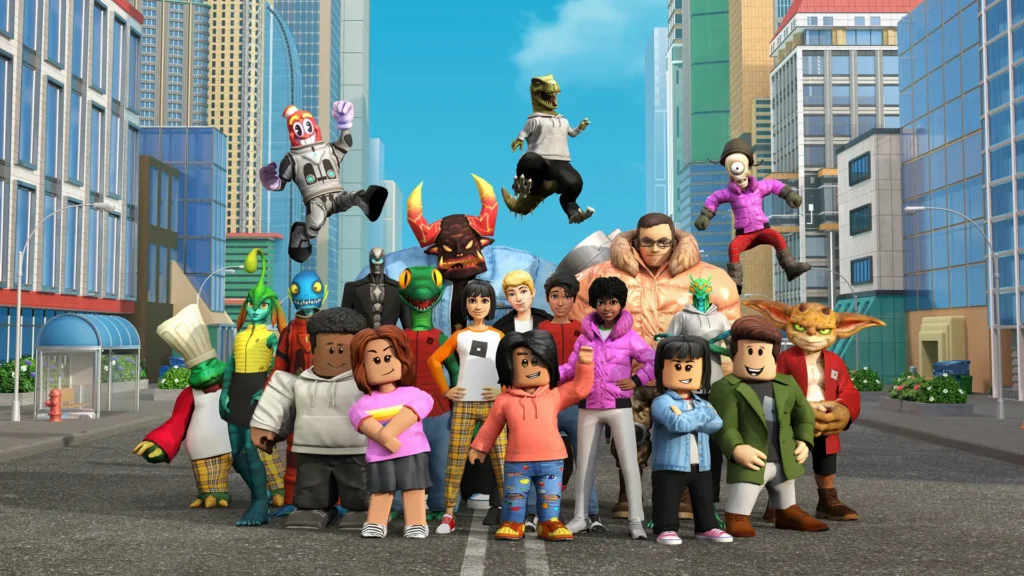
The honest answer is: Roblox can be safer with the right settings, but it is not risk-free.
Roblox has safety tools, content maturity labels, chat controls, spending limits, and screen time controls. Parents can link their own Roblox account to a child’s account and manage many of these settings from the parental controls dashboard. Roblox says parents can manage content access, chat and connections, screen time, and spending from these controls.
However, no parental control system is perfect. Roblox itself says online environments are complex and encourages parents to have open conversations with their children about online safety.
That is the most important point for parents: Roblox safety depends on both settings and supervision. A child playing Roblox with chat disabled, spending restricted, and content limited will have a very different experience from a child using Roblox freely with open communication and no parent oversight.
Why Parents Are Concerned About Roblox
Many parent concerns around Roblox come from the fact that it is a social platform, not just a game. Kids can see other players, receive connection requests, join public servers, and in some cases communicate through text or voice features.
In parent discussions online, Roblox is often treated with caution, especially for very young children. One Reddit thread shared by parents asked whether a 6-year-old should be allowed to play Roblox, and many replies warned that children that young may not be ready for the platform unless communication is heavily restricted and a parent actively supervises the account.
The biggest concerns usually fall into five areas: stranger contact, inappropriate content, Robux spending, scams, and screen time.
Roblox Age Rating: What Parents Should Know
Roblox has an ESRB rating of T for Teen. ESRB also lists “Users Interact” and “In-Game Purchases” as important interactive elements parents should know about. ESRB explains that Roblox contains a wide range of user-created content, so parents should not assume every experience on the platform is appropriate for younger children.
This does not mean every Roblox game is inappropriate for younger kids. Some experiences are simple and child-friendly. But the Teen rating is a reminder that Roblox is broader and more social than many parents expect.
Roblox also uses content maturity labels to help parents choose what type of content their child can access. Parents can manage content maturity levels through parental controls.
Main Risks Parents Should Understand
1. Stranger Contact and Chat
Roblox includes communication features, and this is one of the biggest safety concerns for parents. Roblox parental controls allow parents to manage how a child can chat in-game, including game chat and direct chat settings. Users under 9 require parental consent to enable game chat, and users under 13 require parental consent to enable direct chat.
For younger kids, the safest option is to turn off or heavily restrict chat. Parents should also review the child’s connections list and remove anyone the child does not know in real life.
2. User-Generated Games
Roblox experiences are created by users, not only by Roblox itself. That means the quality, tone, and safety of games can vary. Some games are harmless obstacle courses or pet simulators. Others may include scary themes, fighting, social roleplay, or content that feels too mature for younger children.
Roblox says it moderates content that violates its Community Standards, but it also encourages parents to use parental controls and communicate with children about internet safety.
3. Robux and In-Game Purchases
Robux is Roblox’s virtual currency. Kids can use Robux to buy avatar items, game passes, upgrades, private servers, and other digital extras. Because many Roblox experiences are designed around progression, upgrades, or customization, children may feel pressure to spend.
Parents can set monthly spending limits and receive spending notifications through Roblox parental controls. Roblox says spending limits apply to Robux and subscriptions to individual experiences, although gift card redemption is not affected.
For younger children, parents should consider setting spending to zero or requiring approval for every purchase.
4. Scams and Fake Free Robux
Parents should teach children that there is no safe “free Robux generator.” Fake Robux websites, suspicious links, password requests, and “giveaway” scams are common risks around popular games.
A simple rule works best: never share your password, never click outside links, never give account details to another player, and never believe anyone offering free Robux in exchange for information.
5. Screen Time and Addictive Gameplay Loops
Roblox games often include daily rewards, limited-time items, progression systems, and social pressure from friends. These features can make kids want to keep playing longer than planned.
Roblox allows parents to set screen time limits. Once the limit is reached, the child can no longer use Roblox for the rest of the day. Parents can also view the child’s top games from the last week.
This is useful because it helps parents understand not only how long a child is playing, but also what they are playing.
Roblox Parental Controls Parents Should Set First
Before letting a child play Roblox, parents should set up the account properly. Do not let children create an account alone with a fake age, weak password, or unrestricted settings.
Start with these steps:
1. Use the Child’s Real Age
The birthdate on the account matters because Roblox uses age information to apply default protections and age-based settings. Do not set the child’s age higher just to unlock features.
2. Link a Parent Account
Parents should create their own Roblox account and link it to the child’s account. Roblox says this is required to set up parental controls on behalf of a child. Parents may also need to verify their age using a government-issued ID or credit card.
3. Restrict Chat
For younger children, turn off or restrict game chat, direct chat, and party features as much as possible. If your child only wants to play with real-life friends, keep communication limited to known connections.
4. Limit Content Maturity
Choose the lowest content maturity level that makes sense for your child. Do not rely on the Roblox homepage alone to decide what is appropriate.
5. Review Connections
Check the child’s connections list regularly. Roblox allows parents to view, block, and report a child’s connections from the parent dashboard.
6. Set Spending Limits
Set a monthly spending limit and enable spending notifications. For younger children, the safest approach is no purchases without parent approval.
7. Set Screen Time Limits
Use Roblox screen time controls, but also use device-level parental controls on iPhone, Android, Windows, PlayStation, or Xbox.
8. Play Roblox With Your Child First
Before allowing independent play, sit with your child and explore Roblox together. See what games they want to play, who they interact with, and what pop-ups or purchase prompts appear.
Is Roblox Safe for a 6-Year-Old?
For a 6-year-old, Roblox requires extra caution. A child that young may not fully understand online strangers, scams, chat risks, or manipulative purchase prompts.
If parents allow a 6-year-old to play Roblox, it should only be with strict limits. Chat should be disabled or heavily restricted. Content should be limited to the safest available maturity level. Spending should be blocked or set to zero. The child should only play while a parent is nearby and able to see what is happening on screen.
For many families, it may be better to wait until the child is older or choose a more controlled game environment.
Roblox Kids and Roblox Select Accounts
Roblox has announced new age-based account types for users under 16, including Roblox Kids for ages 5 to 8 and Roblox Select for ages 9 to 15. Roblox says these updates are part of a broader effort to apply age-appropriate defaults and give parents more control over content, communication, screen time, and spending.
Roblox also says the exact ages, games, and features connected to these accounts may vary by region.
These changes are helpful, but parents should still not treat them as a replacement for supervision. Even with stronger defaults, parents should review settings, talk to children about online safety, and check what games they are playing.
Should Parents Let Their Child Play Roblox?
Roblox may be okay for some kids when parents are actively involved. It can offer creativity, social play, problem-solving, and even beginner game development skills. Many children use Roblox to play harmless games with real-life friends.
But parents should not ignore the risks. Roblox includes user-created content, online interaction, virtual currency, and social features. Younger children need stricter controls, and some parents may decide Roblox is not appropriate for their child yet.
A good rule is this: if your child is not old enough to understand online strangers, privacy, scams, and spending limits, they are not old enough to use Roblox without close supervision.
Safer Roblox Rules for Families
- Parents can make Roblox safer by setting clear family rules before play begins:
- Only play approved games.
- Only connect with people you know in real life.
- Never share your real name, school, address, phone number, password, or photos.
- Never click links or trust free Robux offers.
- Ask a parent before accepting friend requests.
- Ask a parent before buying anything.
- Stop playing and tell a parent if someone says something weird, scary, or uncomfortable.
- No headphones for younger kids, so parents can hear what is happening.
- Roblox only during agreed screen time.
These rules work best when parents explain why they matter, instead of simply saying “because I said so.”
Final Verdict: Is Roblox Safe for Kids?
Roblox can be safe enough for some children when parents use strict settings, limit chat, control spending, review connections, and stay involved. But Roblox is not a completely risk-free children’s game, and it should not be treated like one.
For younger kids, especially under 9, parents should be very cautious. Disable or restrict chat, limit content, block spending, and supervise gameplay. For older children and teens, Roblox can be a creative and social platform, but parents should still monitor screen time, spending, and who they are interacting with.
The best approach is not panic, and it is not blind trust. The best approach is active parenting: set controls, play together, talk often, and make sure your child knows they can come to you if anything feels wrong.
Is Roblox safe for kids?
Roblox can be safer with parental controls, restricted chat, spending limits, and parent supervision. However, it is not completely risk-free because it includes user-generated games, online interaction, and in-game purchases.
What age is Roblox appropriate for?
Roblox has a Teen rating from ESRB, but many younger kids still use the platform. Parents should decide based on the child’s maturity, account settings, and level of supervision.
Is Roblox safe for a 6-year-old?
Roblox is risky for a 6-year-old without strict controls. If allowed, chat should be disabled or restricted, spending should be blocked, content should be limited, and a parent should supervise play.
Can strangers talk to my child on Roblox?
Roblox has communication controls, but parents should review and restrict chat settings. Younger children should not be allowed to freely chat with strangers.
Can kids spend real money on Roblox?
Yes. Kids can buy Robux and spend it on avatar items, game passes, upgrades, and other digital content. Parents should set spending limits and enable purchase notifications.
How do I make Roblox safer for my child?
Link a parent account, use the correct age, restrict chat, limit content maturity, review connections, block unsuitable games, set spending limits, and manage screen time.
Should I turn off Roblox chat?
For younger children, yes. Turning off or heavily limiting chat is one of the best ways to reduce risk.
Is Minecraft safer than Roblox?
Minecraft can be safer if used in single-player mode or on a private, parent-managed server. Roblox has more built-in social interaction and user-generated experiences, so it usually requires more active parental oversight.
Read More: