If you’re familiar with Roblox games, you’ve probably heard about the promo codes available for the platform. Those small texts that give you free items, accessories, and Robux rewards. Whether you’re new to the platform or are finding the latest process, this Roblox Redeem Code Guide will teach you exactly how to redeem codes in Roblox in 2026, step by step.
What Are Roblox Codes?
Roblox codes come in two types: promo codes and game-specific codes. Knowing the difference between them is important before you start redeeming.
- Promo codes are released by Roblox through official events, creator challenges, brand collaborations, and social promotions. You can redeem these codes on the official Roblox website, and they reward you with avatar accessories or cosmetic items.
- Game-specific codes are shared by individual game developers and only work within that particular game. Unlike promo codes, these are not redeemed on the website but inside the game itself. The rewards typically include in-game currency, gear, boosts, and exclusive items tied to that game.
You can find both types of codes through Roblox’s official social media channels, developer announcements, and partner events.
How to Redeem Roblox Promo Codes (Official Website Method)
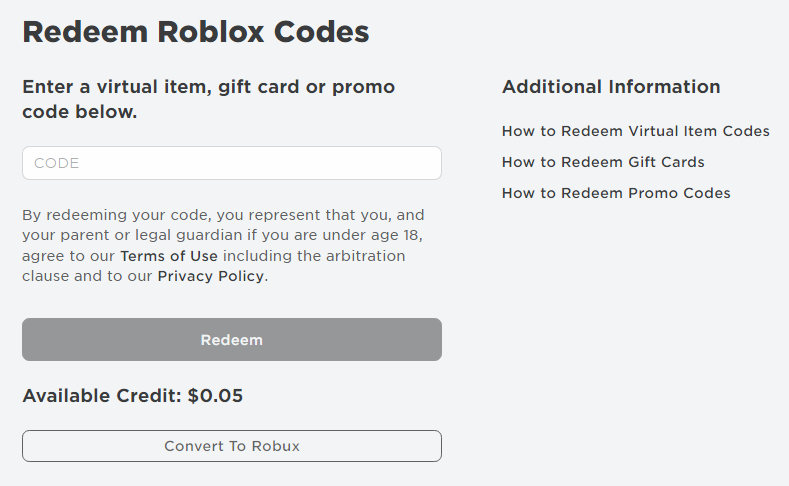
Redeeming Roblox promo codes on the official website is a straightforward process.
Follow these steps to claim your rewards in 2026:
Step-by-step Guide:
- Visit the redemption page: Open your browser and head to roblox.com/redeem. This is where you can enter promo codes and gift card PINs.
- Log in to your account: Make sure you are signed in to the correct Roblox account before proceeding, as the rewards will go directly to that account.
- Enter your code: Type or paste the promo code into the text box. Copy-pasting directly from the official source is the best way to avoid typos or extra spaces.
- Click Redeem: Hit the Redeem button. If the code is valid and still active, a success message will appear confirming your reward.
- Check your inventory: Head to your Roblox inventory to find the new item. Keep in mind that items are sorted by category, so make sure you are looking in the right one.
How to Redeem Codes Inside Roblox Games
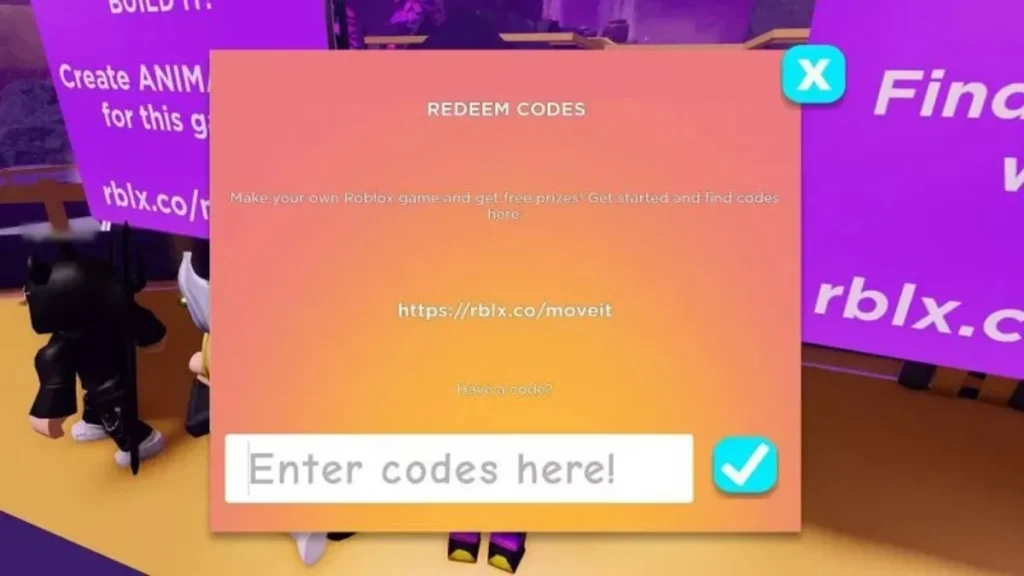
Most popular Roblox games have their own built-in code redemption system, separate from the official website. While the process varies by game, it follows a similar pattern once you know what to look for.
Look for a “Codes,” “Twitter,” or gift icon on the main game screen or in the pause menu. Clicking it will open a text box where you can enter your code and press confirm to claim your reward.
Here are two top examples as of 2026:
- Island of Move: Walk up to the PLAY IT! prompt and interact with it, then click the REDEEM CODE button and type in your code.
- Mansion of Wonder: Move forward to the Swag Booth and interact with it, select Redeem Code, and paste your code to collect the reward.
Since every game handles redemption differently, check the game’s description page or the developer’s social media if you cannot find the option.
Why Your Roblox Code Is Not Working (Fixes)
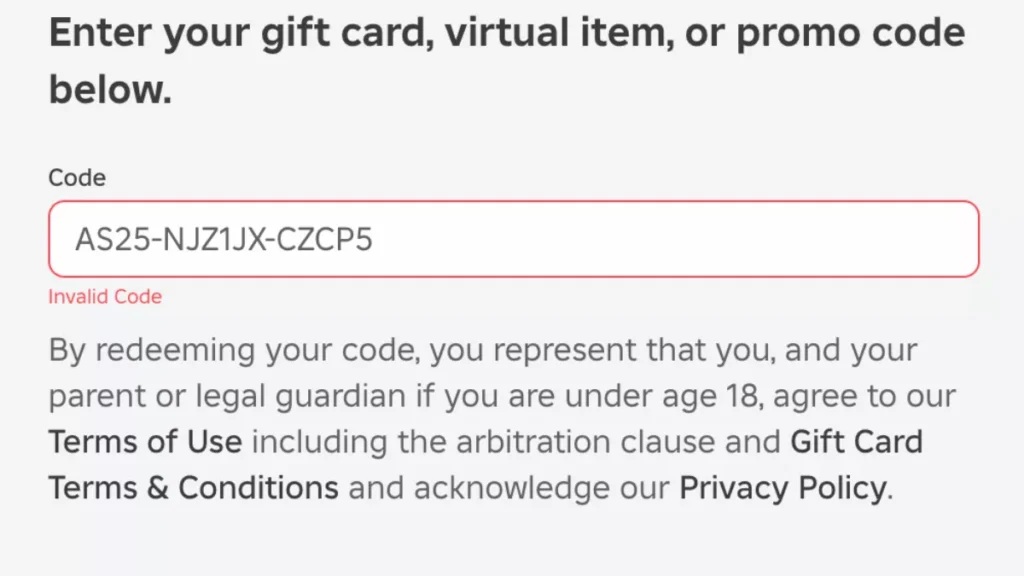
Getting errors while redeeming a code can be frustrating at times, but don’t worry, we’re here with the solution for it.
Here are the most common issues for which your Roblox promo codes might not work:
- Expired code: Most Roblox codes are only active for a few days. If your code is not working, there is a good chance it has already expired. Always redeem codes as soon as you find them.
- Wrong spelling: Roblox codes are case-sensitive and must be entered exactly as shown. Copy-pasting directly from the official source is the safest way to avoid typos or accidental spaces.
- Already used: Each code can only be redeemed once per account. If you have already used it, it will not work again on the same account.
- Server issues: Roblox redemption servers occasionally run into temporary problems. If everything looks correct but the code still fails, wait a few minutes and try again.
- Region or event restrictions: Some codes are limited to specific regions or tied to active events. Check whether your region is eligible and whether the related event is still running.
Where to Find New Roblox Codes?
Getting new Roblox codes in 2026 means you need to be alert and aware of the right sources to get the appropriate codes. Here’s where you can find codes for the platform:
Different Roblox social media handles drop new promo codes on their official channels, which are
For game-specific codes, you can check out the description of the game on Roblox, and you can also follow the Twitter/Discord for new code announcements for different individual games.
[Note: Be aware of sites promising free Robux codes. The platform doesn't distribute any free Robux via promo codes, and sites claiming such things are likely to be a scam.]FAQs
1. Where do I redeem Roblox codes?
To redeem Roblox promo codes, you can visit roblox.com/redeem and enter the code. But the game-specific codes need to be entered inside the game itself, generally through the “Codes” or “Twitter” icon on the game screen.
2. Why is my Roblox code not working?
The common reasons for your code not working are that the code was entered incorrectly, has expired, or has already been used in your account. Make sure you’re logged into your Roblox account and paste the code as it is from the official source.
3. Are Roblox codes free?
Yes, the Roblox promo codes are completely free, and to get them, you need to check out different events, partnerships, and social media promotions related to the platform.
4. Can I use Roblox codes more than once?
No, one code can be used only once per account, but can be used in different accounts unless it’s a single-use type.
5. Do Roblox codes expire?
Yes, the majority of the Roblox codes expire after a few days or weeks. So, in order to avail its benefits, make sure you use them as soon as they’re out.
6. How often are new Roblox codes released?
There’s no fixed schedule for the new Roblox codes, but they usually appear during major game updates, big events, partnerships, and promotions. Following Roblox’s social media platforms is the best way you can get the codes early.