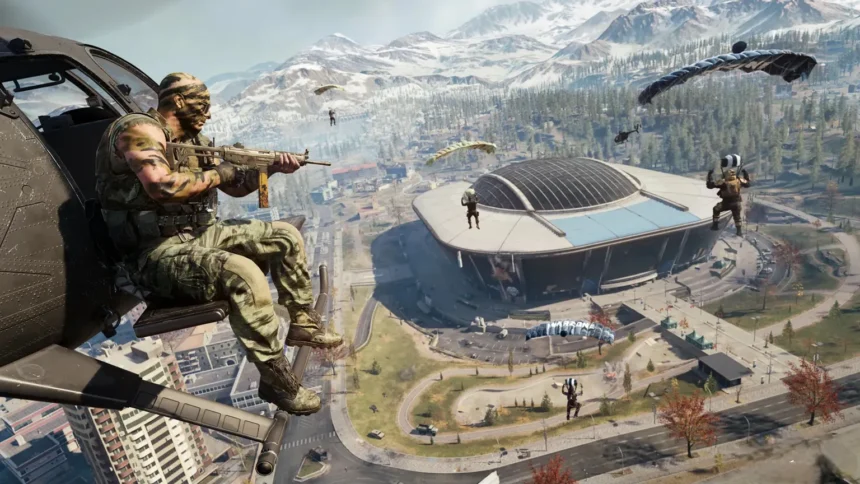
Call of Duty: Warzone moves fast in 2026, and bad settings can make every fight harder than it should be. If your aim feels inconsistent, enemies blend into the background, or your controller feels delayed, the problem may not be your skill. It may be your setup.
The right Warzone settings can improve aim control, visibility, movement response, and overall performance on both PC and console. Small changes like lowering ADS sensitivity, reducing deadzone, turning off motion blur, and using the right FOV can make gunfights feel smoother and more consistent.
In this guide, we’ll cover the best Call of Duty: Warzone settings for 2026, including controller sensitivity, mouse settings, aim assist, deadzone, graphics, FOV, audio, and keybinds.
Why Settings Matter in Call of Duty
You think it’s skill. It’s not. It’s setup.
How settings affect aim and reaction time
Warzone fights constantly shift between close-range tracking and mid-range recoil control. If your sensitivity is too high, you overshoot. Too low, you can’t keep up with movement. The game demands balance, not extremes.
ADS timing also matters more than people think. “Instant” transition removes delay between hipfire and ADS, which directly improves reaction speed in gunfights.
Default vs optimized settings
Default settings are built for casual play. Competitive setups remove distractions like vibration and trigger resistance to improve control.
Why pros customize everything
Pros don’t leave anything untouched. Every setting is tuned for consistency, especially sensitivity, deadzone, and aim response curves.
Best Sensitivity Settings (Controller & Mouse)
This is the backbone. Mess this up and nothing else matters.
Controller Sensitivity
| Setting | Value |
|---|---|
| Horizontal Sensitivity | 7 |
| Vertical Sensitivity | 7 |
| ADS Low Zoom | 0.85 |
| ADS High Zoom | 1.0 |
| ADS Transition | Instant |
7-7 sensitivity is widely used because it balances speed and control without overflicking.
Mouse Sensitivity (PC)
| Setting | Value |
|---|---|
| DPI | 800–1600 |
| Sensitivity | 3–6 |
| Polling Rate | 1000 Hz |
| ADS Multiplier | 0.8–1.0 |
Lower sens gives better recoil control, higher sens helps with flicking. Mid-range is the sweet spot.
Low vs high sensitivity
- High sens = faster turning, worse consistency
- Low sens = stable aim, slower reactions
- Mid sens = best for Warzone
ADS sensitivity tip
0.85 ADS is key. It slows your aim just enough to control recoil and track enemies cleanly.
Aim Assist Settings (Controller Players)
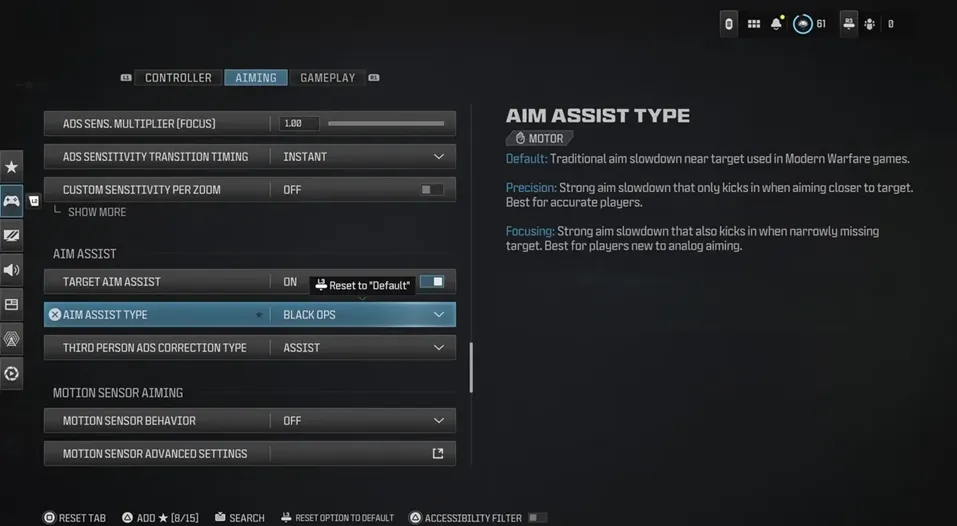
This is literally free aim help. Use it properly.
Best Aim Assist Setup
| Setting | Value |
|---|---|
| Target Aim Assist | On |
| ADS Aim Assist | On |
| Response Curve | Dynamic |
| Transition Timing | Instant |
Dynamic response curve gives smoother micro-adjustments while tracking moving targets.
Types explained
- Standard → balanced
- Precision → tighter but harder
- Focusing → slower
Best pick
Standard + Dynamic is the most consistent combo across skill levels.
Common mistakes
- Turning aim assist off
- Using linear curve without control
- Not adjusting ADS
Deadzone Settings Explained
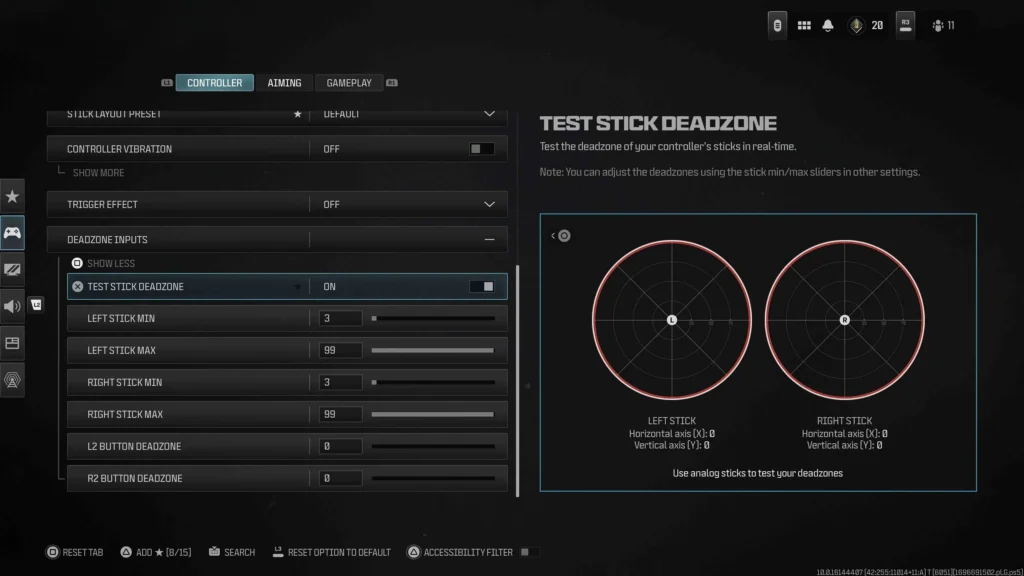
This is the most underrated setting in the game.
Best Deadzone Setup
| Setting | Value |
|---|---|
| Left Stick Min | 0.00 |
| Right Stick Min | 0.00–0.03 |
| Left Stick Max | 0.85 |
| Right Stick Max | 0.99 |
Lower deadzone = faster response. Always keep it as low as possible without stick drift.
What it actually does
Deadzone controls how much you move the stick before input registers.
Why it matters
- High deadzone = delayed aim
- Low deadzone = instant response
Best Graphics Settings for Performance (PC & Console)
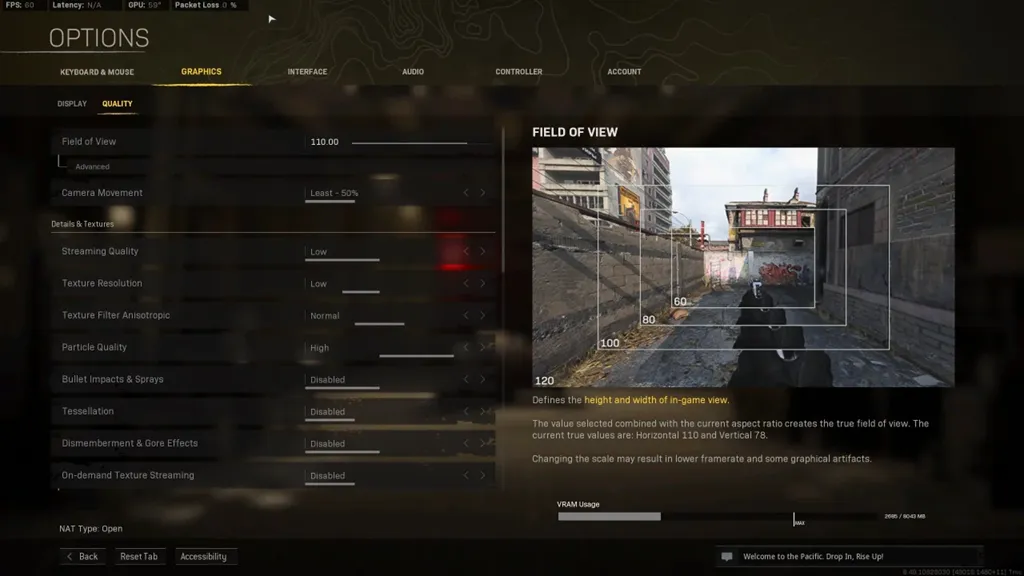
FPS wins fights. Not graphics.
Best Graphics Settings
| Setting | Value |
|---|---|
| Display Mode | Fullscreen |
| V-Sync | Off |
| Texture Quality | Low |
| Shadow Quality | Low |
| Motion Blur | Off |
| Film Grain | 0 |
| Upscaling | FidelityFX CAS |
Lower settings improve frame rate and stability, which directly improves reaction time.
High FPS vs high graphics
More FPS = smoother gameplay = better tracking.
Visibility tweaks
- Disable shadows → enemies easier to see
- Remove blur → clearer visuals
Input lag fix
Turn off V-Sync and unnecessary effects.
Field of View (FOV) Settings Guide
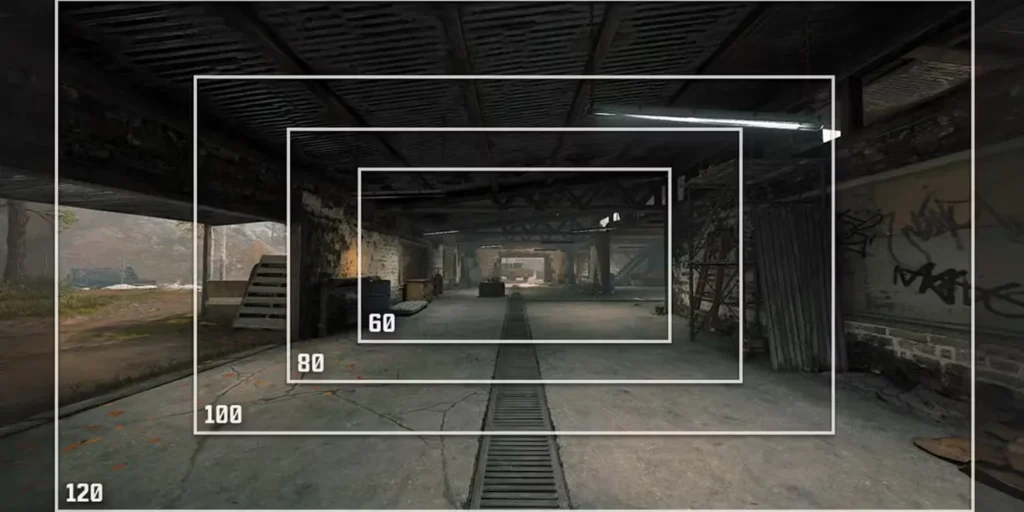
FOV changes everything.
Best FOV
| Mode | Value |
|---|---|
| Warzone | 100–115 |
This range balances visibility and target size.
Pros of high FOV
- More peripheral vision
- Better awareness
Cons
- Smaller targets
- Harder tracking for beginners
Audio Settings for Better Awareness
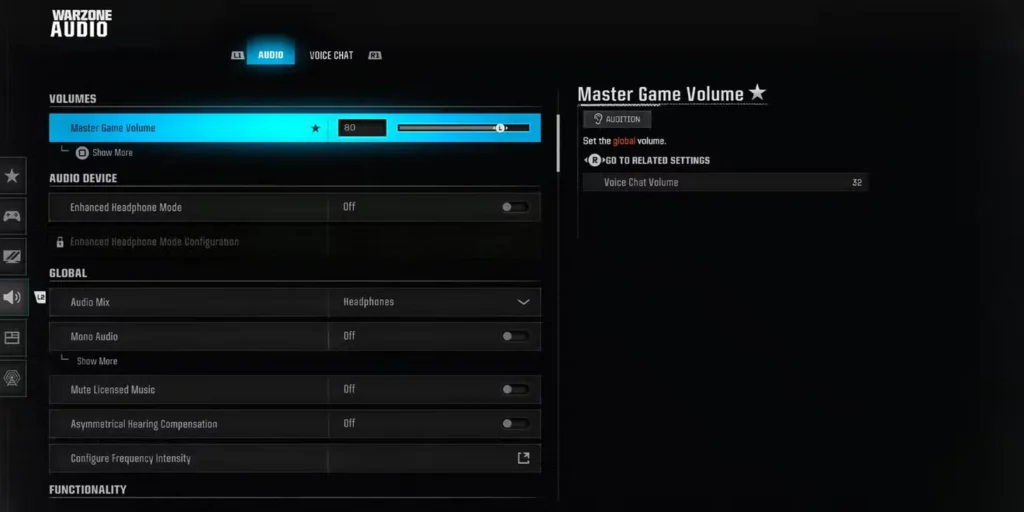
Good audio = free information.
Best Audio Setup
| Setting | Value |
|---|---|
| Audio Mix | Headphones Boost |
| Effects Volume | 100 |
| Music Volume | 0–10 |
| Dialogue Volume | Low |
Footsteps become much clearer with boosted headphone mix.
Headphones vs speakers
Headphones are mandatory if you actually want to win fights.
Keybinds & Controller Layout Optimization
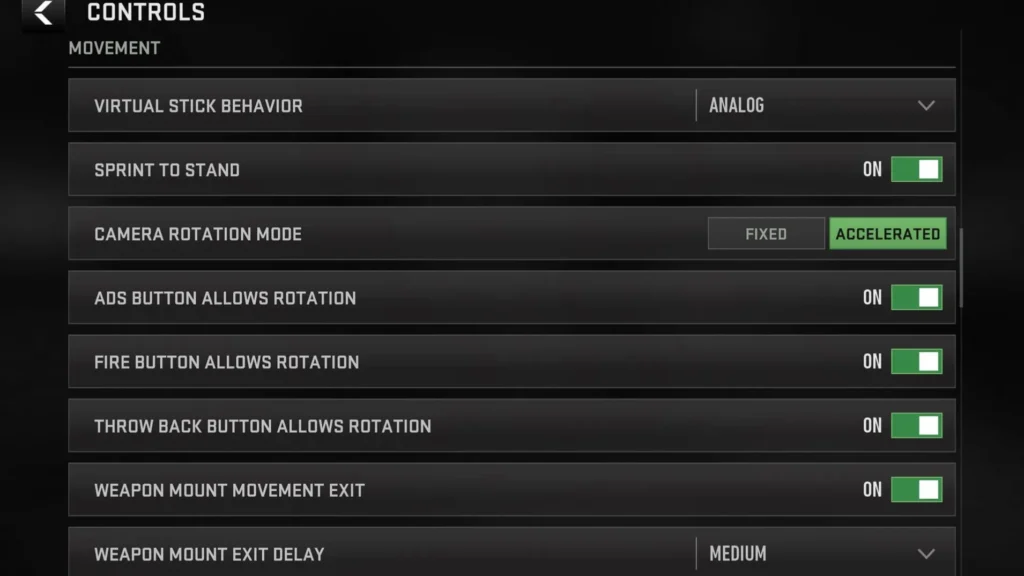
Better controls = faster reactions.
Controller Layout
| Setting | Value |
|---|---|
| Button Layout | Tactical |
| Sprint | Tactical Sprint Assist |
| Vibration | Off |
| Trigger Effect | Off |
Disabling vibration improves recoil control and focus.
PC keybind tips
Keep movement standard, optimize reload, armor plates, and equipment keys.
Pro Player Settings You Can Try
Most pros run very similar setups.
Common pro baseline
- Sensitivity: 6–7
- ADS: 0.85
- Dynamic curve
- Instant ADS
- Low deadzone
What to copy
Start with these numbers.
What to adjust
Fine-tune sensitivity and deadzone based on your controller.
Common Settings Mistakes to Avoid
Changing settings every match
Kills muscle memory instantly.
Copying settings blindly
Your controller and playstyle are different.
Ignoring ADS balance
Hipfire and ADS must work together.
Playing on default settings
You’re basically handicapping yourself.
Conclusion
Use “Warzone” in the title, change image credit to Activision/Call of Duty, soften overconfident claims, add console graphics settings, and clean up FAQ formatting. Your draft already has a strong gaming tone and covers the right core settings.
What are the best settings for Call of Duty?
7-7 sensitivity, dynamic aim curve, low deadzone, and high FPS graphics.
What sensitivity do pro players use in COD?
Most stay around 6–7 controller sensitivity.
Is higher FOV better in Warzone?
Yes, but 100–110 is the sweet spot.
What is the best aim assist setting?
Standard aim assist with dynamic response curve.
How do I find my perfect sensitivity?
Start with 6–7 sensitivity and 0.85 ADS. Play a few matches, then adjust slowly instead of changing settings every game.
What is the best aim assist setting for Warzone?
Standard aim assist with Dynamic response curve is the most consistent option for most controller players.
Is higher FOV better in Warzone?
Higher FOV gives you more peripheral vision, but it also makes enemies appear smaller. For most players, 100–110 FOV is a safe range.
What sensitivity do most Warzone players use?
Many controller players prefer 6–7 sensitivity because it offers a good balance between fast turning and stable aim control.
What are the best settings for Call of Duty: Warzone?
The best Warzone settings are 6–7 controller sensitivity, 0.85 ADS sensitivity, Dynamic aim response curve, low deadzone, motion blur off, and FOV around 100–110.