Most Fortnite players don’t lose fights because of bad aim. They lose because their Fortnite sensitivity settings are all over the place copying Bugha one day, running some TikTok “0 delay aimbot” config the next, and wondering why their shotgun flicks feel broken.
Here’s the thing nobody tells you: there is no best sensitivity. There’s only the right balance for your mechanics and your consistency. And copying a pro player’s exact settings? That usually makes things worse, not better and I’ll show you exactly why.
Sensitivity in Fortnite isn’t just about aim. It quietly shapes how you edit under pressure, how clean your piece control feels, and whether your tunneling actually holds together in a real fight. I’ve tested everything from ultra-low sens to hyper-fast edit multipliers, dug through 2025 and 2026 pro configs, and here’s what the data and the gameplay actually agree on.
What is Sensitivity in Fortnite?
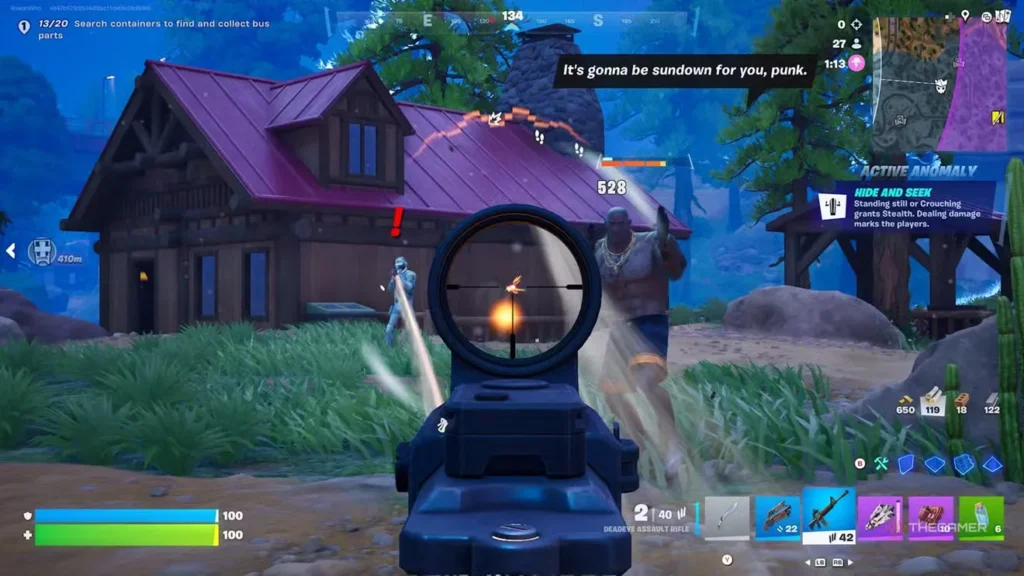
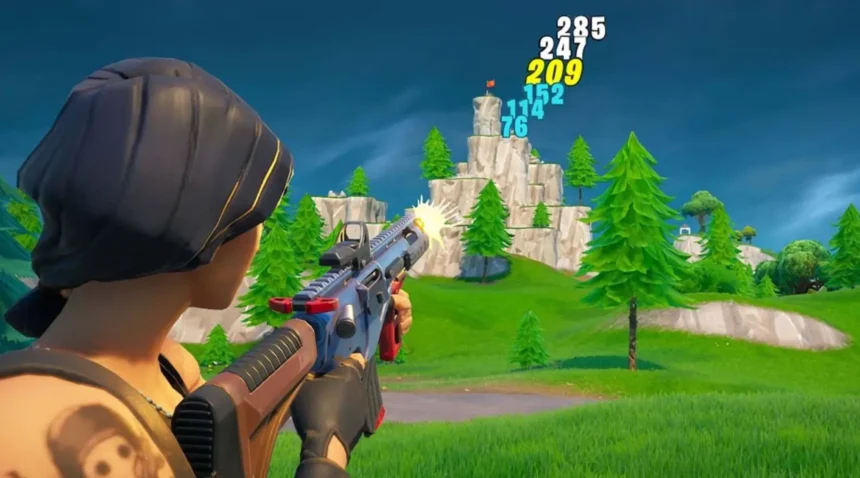
Fortnite sensitivity is how fast your character reacts to your input. Move your mouse or tilt your joystick, and your crosshair moves faster or slower depending on where your sensitivity is set.
Simple concept. Massive impact.
But here’s where Fortnite gets complicated in a way that Warzone or Apex simply don’t. In those games, sensitivity mostly affects one thing: how well you aim. In Fortnite, your sensitivity is doing five jobs at once. It controls how accurately you track a moving player. It affects how clean your edits feel under pressure. It shapes your building speed, your piece control, even how smoothly you reset after a box fight.
That’s the part most guides skip. They treat Fortnite sensitivity like it’s just an aim setting — tweak it until your shots land, done. But if your sens is off, it doesn’t just hurt your aim. It makes your edits feel sticky, your builds feel slow, and your movement feel floaty. Everything connected to your input starts to feel slightly wrong, and it compounds fast in a real game.
Mouse Sensitivity (DPI + In-Game)
For PC players, sensitivity comes from two things:
- Your mouse DPI
- Your in-game sensitivity
DPI controls how sensitive your mouse is overall. In-game sensitivity multiplies that input inside Fortnite.
Most Fortnite pros still use 400 to 800 DPI because it gives better control and smoother tracking.
Here’s the important part people ignore:
High DPI alone doesn’t automatically mean high sensitivity.
A player using:
- 800 DPI with 6% sens
can actually feel slower than: - 1600 DPI with 3% sens
That’s where eDPI comes in. Effective DPI combines both values into one number.
Example:
- 800 DPI × 0.10 sensitivity = 80 eDPI
That’s why many Fortnite pros cluster around similar eDPI ranges even if their raw DPI settings differ.
Controller Sensitivity
Controller sensitivity controls how fast your analog sticks move your camera and aim.
Unlike mouse players, controller users also deal with:
- Aim assist
- Deadzones
- Input curves
- Boost settings
- Build multipliers
- Edit multipliers
Controller Fortnite is honestly way more technical than most people realize.
A slightly wrong deadzone can completely ruin tracking with weapons like the Thunder Burst SMG or Frenzy Auto Shotgun.
Why It Impacts Gameplay
Sensitivity affects:
- Crosshair placement
- Recoil control
- Tracking
- Flick shots
- Edit speed
- Build consistency
- Movement confidence
If your sensitivity is too high:
- You’ll overshoot targets
- Miss shotgun shots
- Panic in close fights
If it’s too low:
- You’ll struggle to turn quickly
- Building feels slow
- Edits become awkward
The best players usually balance:
- low enough for aim
- fast enough for mechanics
That’s the sweet spot.
Best Fortnite Sensitivity Settings for PC (Mouse & Keyboard)
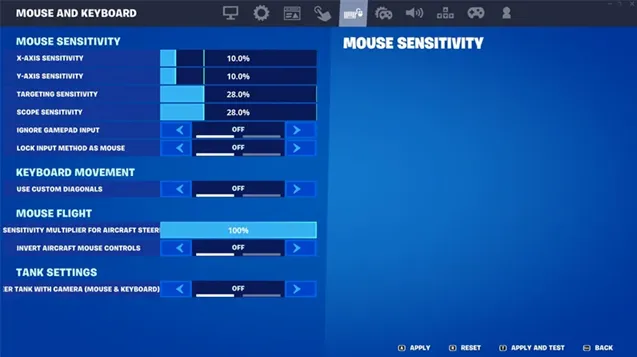
This is the setup range I’d recommend for most PC players right now.
Not flashy. Not “TikTok demon” settings. Just settings that actually work consistently.
Recommended DPI Settings
The safest competitive range:
- 400 DPI
- 800 DPI
That’s still the dominant pro standard in Fortnite.
Why?
Because lower DPI gives:
- smoother micro-adjustments
- better tracking
- more stable flicks
- easier recoil control
Most elite players like Bugha, Clix, and Mongraal still stay near the 800 DPI range.
In-Game Sensitivity Settings
Here’s the range I’d actually recommend:
| Setting | Recommended Range |
|---|---|
| X-Axis Sensitivity | 5% – 10% |
| Y-Axis Sensitivity | 5% – 10% |
| Targeting Sensitivity | 30% – 50% |
| Scope Sensitivity | 30% – 50% |
The reason low-to-medium sensitivity works better:
- Shotguns become more accurate
- Tracking improves
- Recoil control feels smoother
- Crosshair placement becomes more consistent
Fortnite fights are chaotic now. Half the lobby edits through walls at lightning speed. You need stable aim more than flashy spin speed.
ADS (Aim Down Sights) Settings
ADS sensitivity should almost always stay lower.
I see too many players using crazy ADS speeds and wondering why their AR beams disappear at medium range.
Lower ADS helps with:
- Red Eye Assault Rifle tracking
- Cobra DMR shots
- Twin Mag AR recoil
- Long-range beams
That’s why most competitive players reduce ADS sensitivity significantly compared to hip-fire settings.
Best Sensitivity Settings for Controller (PS5 & Xbox)
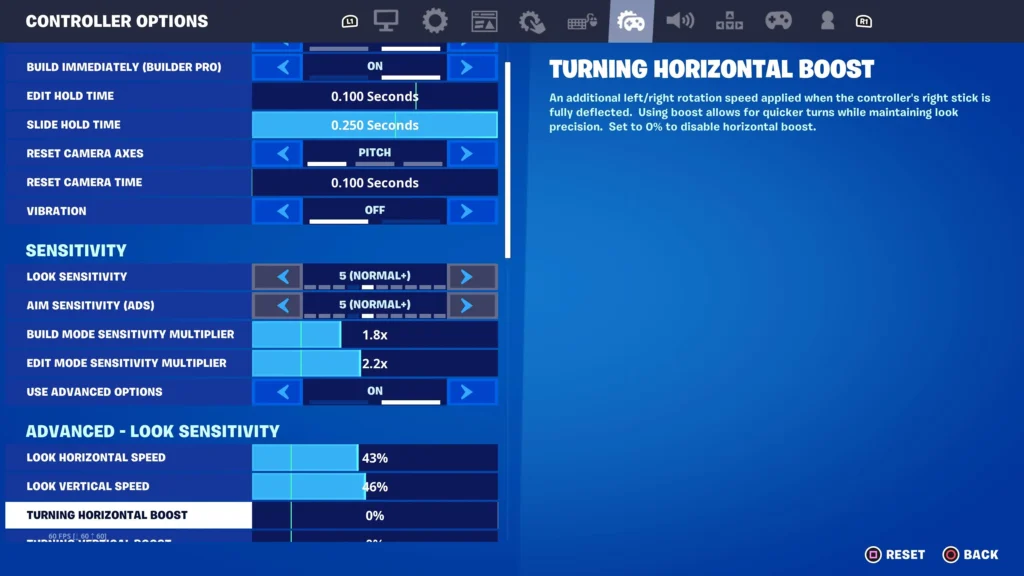
Controller sensitivity in Fortnite is a completely different science experiment.
There are way more settings involved:
- Look sensitivity
- Build multipliers
- Edit multipliers
- Deadzones
- Linear vs Exponential
- Aim assist
And honestly? Most players overcomplicate everything.
Look Sensitivity
Recommended:
- Horizontal Speed: 40% – 60%
- Vertical Speed: 40% – 60%
This range gives enough speed for:
- box fights
- fast retakes
- piece control
- shotgun flicks
without making your aim feel uncontrollable.
Build Mode Sensitivity Multiplier
Recommended:
- 1.8x – 2.3x
Higher build sensitivity helps massively with:
- 90s
- tunneling
- retakes
- quick reactions
Fortnite building today is ridiculously fast compared to older chapters. Low build sensitivity feels terrible now.
Edit Mode Sensitivity Multiplier
Recommended:
- 1.8x – 2.5x
Editing should usually feel slightly faster than building.
That’s because edit fights now rely heavily on:
- rapid resets
- peek edits
- window shots
- right-hand peeks
A slightly faster edit multiplier helps everything feel smoother.
Deadzone Settings
Recommended:
- 5% – 10%
Lower deadzones make your sticks respond faster.
But there’s a catch:
too low = stick drift nightmare.
If your controller starts moving by itself while aiming, your deadzone is too low.
Most competitive controller players keep deadzones as low as possible without drift. However, if you want your Fortnite sensitivity settings to work up to the par, then you must know the best Fortnite settings.
Linear vs Exponential Settings
This debate never dies in Fortnite.
Linear
Linear gives raw input.
Your stick movement directly controls camera movement.
Advantages:
- faster reactions
- snappier edits
- better close-range fights
- smoother piece control
That’s why many competitive players prefer Linear.
Exponential
Exponential gradually increases speed depending on stick movement.
Advantages:
- smoother long-range aim
- easier recoil control
- more forgiving tracking
Exponential usually feels better for casual players or newer controller users.
Personally, I think:
- Linear is stronger competitively
- Exponential feels easier initially
Low vs High Sensitivity – Which is Better?
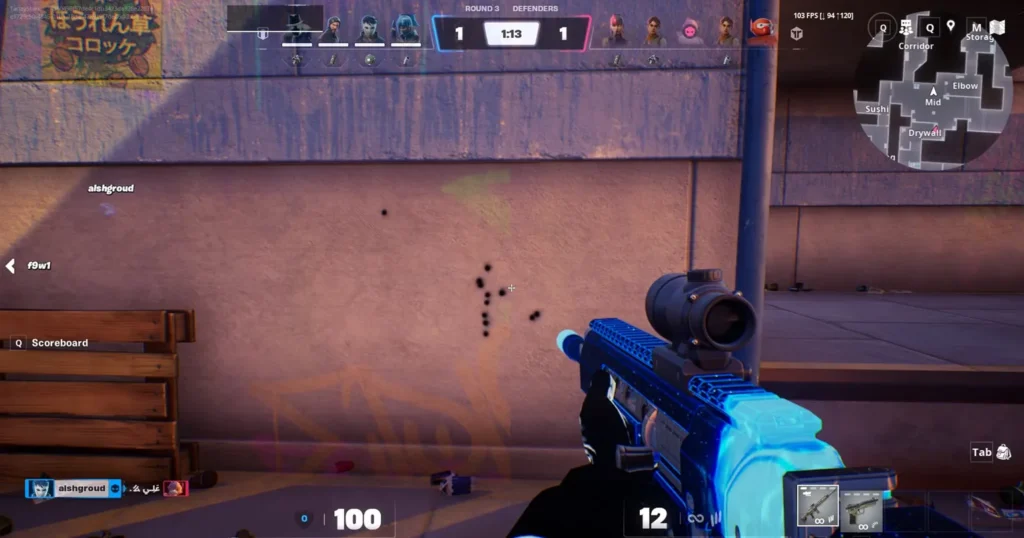
This is the biggest Fortnite argument of all time.
Low Sensitivity
Advantages:
- Better accuracy
- More stable shotgun aim
- Cleaner tracking
- Better recoil control
Disadvantages:
- Slower edits
- Slower turns
- Harder retakes
Low sensitivity dominates among serious competitive players because consistency matters more than flashy mechanics.
High Sensitivity
Advantages:
- Faster builds
- Faster edits
- Faster reactions
- Better movement freedom
Disadvantages:
- Harder to control
- Overshooting targets
- Inconsistent tracking
High sensitivity looks incredible in montages. It feels terrible when you actually need consistent tournament aim.
Best Balance (Recommended)
For most players:
medium sensitivity is the best option.
Enough speed for:
- edits
- builds
- reactions
Enough control for:
- shotgun fights
- AR tracking
- long-range beams
That’s why most pro settings land somewhere in the middle instead of the extremes.
How to Find Your Perfect Sensitivity
This part matters more than any exact numbers.
Step 1: Start with Recommended Settings
Don’t start from random TikTok settings.
Use proven competitive ranges first:
- 800 DPI
- 6% to 9% mouse sensitivity
- 40% to 50% controller look speed
Start stable.
Step 2: Test in Creative Mode
Creative maps are perfect for testing:
- flicks
- edits
- tracking
- close-range fights
I usually recommend:
- aim training maps
- piece control maps
- shotgun edit courses
You’ll instantly feel whether your sensitivity is too fast or too slow.
Step 3: Adjust Slowly
This is where people ruin everything.
They change sensitivity from:
- 6%
to - 14%
overnight.
That destroys muscle memory.
Only adjust:
- 1% at a time
- small deadzone tweaks
- tiny ADS changes
Small adjustments matter massively.
Step 4: Stick With One Setting
Consistency is everything.
Muscle memory needs time.
If you constantly switch settings:
- your aim resets
- tracking feels weird
- edits become inconsistent
The best Fortnite players stay on similar settings for months.
Also, you need to fix your lag in Fortnite to make these settings the most effective.
Pro Player Sensitivity Settings (Examples)
Most Fortnite pros still prefer:
- low DPI
- low-to-medium sensitivity
- stable ADS
- consistent tracking
Examples:
| Pro Player | DPI | X/Y Sens |
|---|---|---|
| Bugha | 800 | 6.4% |
| Clix | 800 | 8.7% / 6.3% |
| Mongraal | 800 | 7.7% |
| MrSavage | 800 | 9.1% |
Notice something?
Almost nobody uses absurd sensitivity anymore.
Competitive Fortnite shifted heavily toward:
- control
- tracking
- consistency
instead of pure speed.
Common Sensitivity Mistakes
Changing Settings Too Often
This destroys muscle memory faster than anything.
One bad match doesn’t mean your settings are broken.
Using Very High Sensitivity
High sensitivity feels amazing in Creative free-builds.
Then you miss every shotgun shot in ranked.
Copying Pro Settings Blindly
This is probably the biggest mistake.
A pro player using:
- custom controller grips
- paddles
- 240Hz monitor
- years of muscle memory
won’t magically transfer skill through settings.
Use pro settings as inspiration, not copy-paste solutions.
Ignoring Muscle Memory
Fortnite is all repetition.
The more consistent your settings are, the stronger your mechanics become.
Tips to Improve Aim with Sensitivity
Practice Daily in Creative Maps
The fastest improvement comes from repetition.
Focus on:
- shotgun flicks
- tracking
- edit shots
- movement peeks
Use Aim Trainers
Aim trainers genuinely help.
Especially for:
- flick consistency
- tracking
- reaction speed
Keep Consistent Settings
Consistency beats experimentation.
Every time.
Warm Up Before Matches
Jumping straight into ranked is a terrible idea.
Even 10 minutes of warm-up helps massively with:
- crosshair placement
- reaction speed
- muscle memory
Conclusion
Fortnite sensitivity is way more personal than people admit.
There isn’t one magical setup that suddenly turns someone into a tournament player overnight. But there are settings ranges that consistently work better than others, especially if you care about aim consistency, edit control, and smoother tracking.
That balance matters more than trying to spin around instantly like a montage creator.
If I had to give one final recommendation:
start slower than you think you need.
Most players perform better after lowering sensitivity slightly because Fortnite fights reward precision way more than random movement speed.
And once you finally find settings that feel natural?
Stop changing them every week.
That’s when your mechanics actually begin improving
What sensitivity do pro Fortnite players use?
Most pros use low-to-medium sensitivity with 400 to 800 DPI. Many competitive players stay around 5% to 9% X/Y sensitivity with lower ADS settings.
Is low sensitivity better in Fortnite?
Usually, yes. Lower sensitivity improves accuracy, recoil control, and shotgun consistency. High sensitivity helps edits and movement but is harder to control.
What is the best DPI for Fortnite?
800 DPI is still the most common competitive standard among Fortnite pros. Some players also use 400 DPI for even more control.
How do I find the best sensitivity?
Start with recommended settings, test them in Creative mode, adjust slowly, and stick with one setup long enough to build muscle memory.
Should I change sensitivity often?
No. Constantly changing sensitivity ruins consistency and muscle memory. Small adjustments are fine, but major changes every few days usually hurt performance.