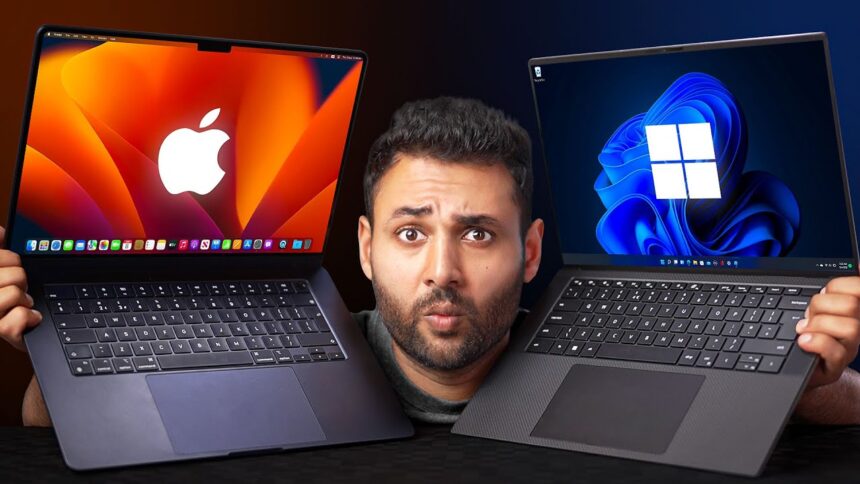
Buying a laptop today means picking a side. Windows gives you infinite options — brands, budgets, specs. Mac gives you one curated ecosystem that just works. Both camps swear theirs is the obvious choice. Both are wrong for some people and right for others. Here’s how to figure out which one is actually yours.
Overview of Windows vs Mac
About Windows…
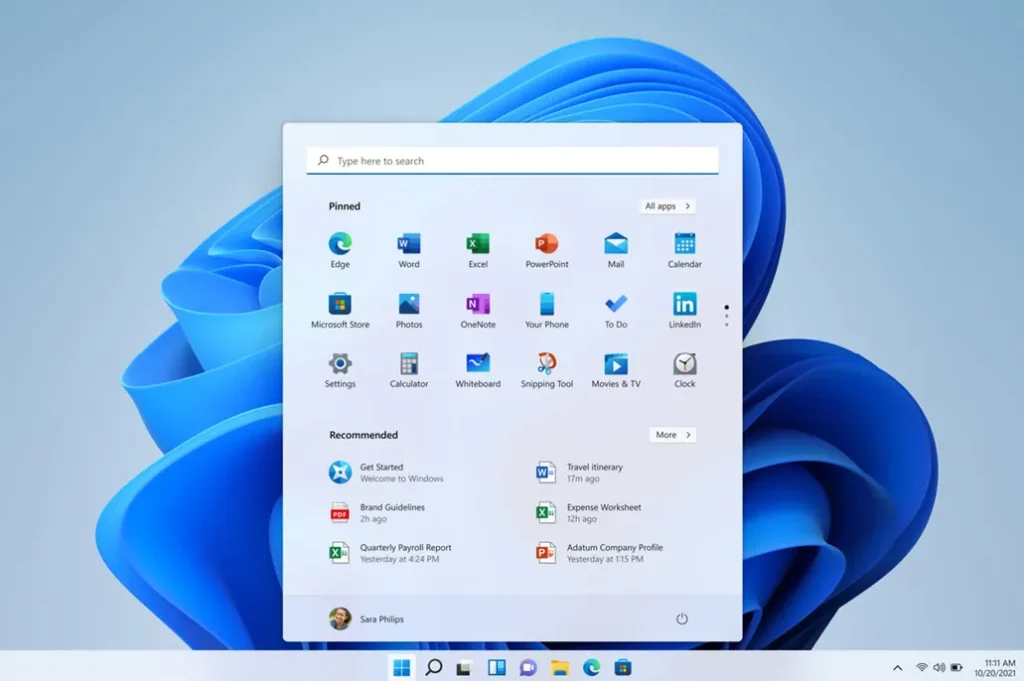
Windows is Microsoft’s operating system and chances are, you’ve already used it at some point in your life. Whether it was your school computer lab, your first laptop, or your office desktop, Windows has been the default for most of the world for decades.
But Windows isn’t just an OS. It’s an open ecosystem. Unlike Mac, which lives exclusively inside Apple hardware, Windows runs on machines built by hundreds of different manufacturers, Dell, HP, Lenovo, ASUS, Acer, MSI, and more. That single fact changes everything.
Because no single company controls the hardware, you get something rare in the tech world: real choice.
Want a budget laptop under $360 for basic tasks? Windows has it. Want a powerhouse workstation for 3D rendering or game development? Windows has that too. Want to build your own custom PC from scratch, picking every component yourself? Again, Windows.
This flexibility is Windows’ biggest strength and, honestly, sometimes its biggest weakness too. More options mean more decisions. More manufacturers mean more variation in quality. Not every Windows laptop is built the same, and that inconsistency can catch buyers off guard.
But here’s the thing when you find the right Windows machine for your needs and budget, very little else comes close. It runs virtually every major application, supports the widest range of hardware, and dominates in gaming, enterprise software, and engineering tools.
Windows isn’t the prettiest option on the shelf. But it’s the most powerful, most flexible, and most widely supported platform on the planet. For a huge chunk of the world, it’s simply the computer.
About Mac…
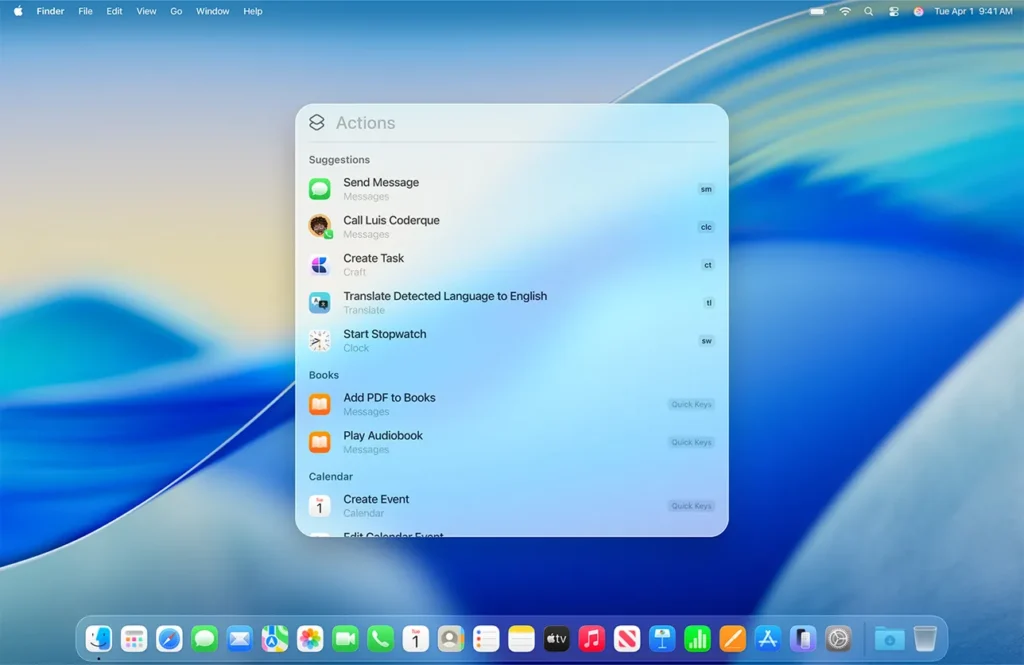
Mac is Apple’s answer to a question most of the tech industry never bothered asking: What if one company controlled everything?
The hardware. The software. The ecosystem. All of it designed together, tested together, and shipped together under one roof. That’s the Mac philosophy, and it’s either the most genius thing in consumer tech or the most controlling, depending on who you ask.
Unlike Windows, you can’t buy macOS on a Dell or an HP. If you want a Mac, you buy Apple. A MacBook Air, a MacBook Pro, an iMac, or a Mac Mini. That’s the entire lineup. No endless comparisons across brands, no confusion over which manufacturer to trust. Apple makes the call for you.
And for millions of people, that’s actually a relief.
Because that tight control between hardware and software is exactly what makes Macs feel the way they do. Smooth, fast, and predictable. There are no driver conflicts, no bloatware from third-party manufacturers, no random system slowdowns that leave you wondering what just happened. You open a Mac, and it works. Day one and three years later.
The ecosystem pull is real too. If you already use an iPhone, an iPad, or AirPods, a Mac doesn’t just fit into your life. It completes it. AirDrop, iMessage on desktop, Handoff, Universal Clipboard. These features sound small until you’ve used them daily and then tried living without them.
The trade-off? You pay for all of this. There is no budget Mac. The entry point is high, upgrading is limited, and Apple decides when your device is no longer supported. You’re not just buying a laptop. You’re buying into Apple’s world on Apple’s terms.
For many people, that’s a price worth paying. For others, it’s a dealbreaker.
Windows vs Mac: Operating System Comparison
Ease of Use
Mac’s operating system, macOS, is designed with one goal in mind: get out of your way. The interface is clean, the settings are straightforward, and almost everything works exactly the way you’d expect it to. There’s no hunting through nested menus, no cryptic system prompts, no moment where you open a settings panel and feel like you need a manual.
Windows has improved dramatically over the years, but it still carries the weight of its own history. Somewhere beneath the modern interface, there are still old control panels, legacy settings windows, and menus that feel like they belong to a 2009 computer. It gives you more control, yes. But more control also means more chances to get lost.
For first-time users or people who just want to get things done, macOS wins on simplicity. For users who want to dig deep, tweak settings, and customise their experience, Windows is the better playground.
Updates and Support
Windows pushes updates frequently. Sometimes too frequently. You’ve probably experienced the joy of a Windows update starting right before an important meeting. Microsoft has gotten better at scheduling these, but they remain a point of frustration for many users.
Apple takes a different approach. macOS updates come less often, are usually well-tested before release, and rarely feel disruptive. The downside is that older Macs eventually get cut off from updates entirely, which can feel abrupt when it happens to your machine.
Both companies provide long-term support, but Apple’s track record on stability after updates is generally stronger.
Stability
This one goes to Mac, and it’s not particularly close.
Because Apple controls both the hardware and the software, macOS is built for a very specific set of machines. There are no surprises, no compatibility gaps, no conflicts between components that weren’t designed to work together. The result is an operating system that rarely crashes, rarely behaves unexpectedly, and holds up well over years of daily use.
Windows runs on thousands of different hardware combinations from hundreds of manufacturers. That variety is a strength in many ways, but it also creates unpredictability. A Windows laptop from a premium brand will feel rock solid. A budget one might not. Stability on Windows often depends on the quality of the machine underneath it, not just the OS itself.
If you want an operating system you can trust without thinking about it, macOS has the edge. If you’re willing to invest in good hardware, Windows gets you most of the way there too.
Performance and Speed
Specs on paper tell you one story. Real-world performance tells you another. And when it comes to Windows vs Mac, the gap between those two stories is bigger than most people expect.
Hardware optimization
This is where Apple has quietly built one of the biggest advantages in consumer tech.
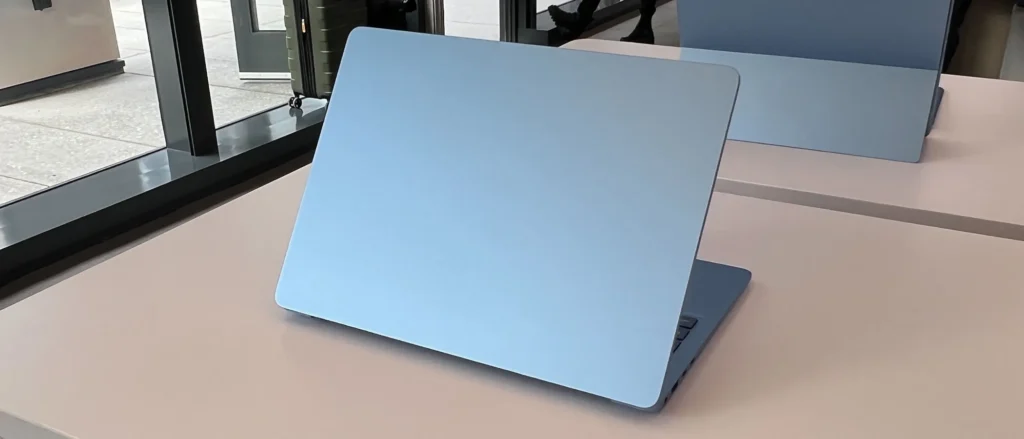
When Apple introduced its own silicon chips, starting with the M1 in 2020, something shifted. Suddenly, MacBooks were lasting 15 to 18 hours on a single charge, running demanding creative software without breaking a sweat, and doing all of it on a fanless, near-silent machine. The reason is simple: Apple designs the chip and the operating system together. Every instruction, every process, every background task is optimized to work in harmony with the hardware underneath it.
Windows doesn’t have that luxury. It runs on Intel chips, AMD chips, Nvidia GPUs, and thousands of hardware combinations across hundreds of devices. Microsoft has to build an operating system that works for all of them, which means it can’t be perfectly tuned for any single one. The result is performance that varies widely depending on the machine you’re running it on.
A well-specced Windows machine is an absolute powerhouse. A mid-range one is decent. A budget one can feel sluggish within a year. With Mac, the floor is much higher across the board.
Real-world performance
For everyday tasks, browsing, video calls, document editing, both platforms handle things without any issues. You won’t feel a meaningful difference opening Chrome tabs or jumping between apps on either system.
The gap opens up when the workload gets heavy.
For video editing, graphic design, and music production, Macs consistently punch above their spec weight. A MacBook Pro with an M3 chip will handle 4K timelines in Final Cut Pro with a smoothness that surprises people coming from Windows. The software is built for the hardware, and it shows.
For gaming and engineering software, Windows takes over completely. The PC gaming ecosystem is built on Windows. Most simulation tools, CAD software, and engineering platforms are designed with Windows as the primary environment. No Mac, regardless of how powerful, comes close to a high-end Windows gaming rig in raw gaming performance.
Multitasking
Both platforms handle multitasking well in 2025. Running multiple apps, switching between browser tabs and editing software, keeping a dozen things open at once. Neither system buckles under that kind of load on modern hardware.
The difference is in how it feels. macOS manages memory quietly and efficiently in the background. You rarely notice it working. Windows gives you more visibility into what’s running and lets you control it more directly, which is great if you know what you’re doing and slightly overwhelming if you don’t.
For most users, Mac feels smoother. For power users who want control over every process, Windows is the better environment.
Design and Build Quality
Before you ever open a laptop, you hold it. You carry it. You put it on a desk and look at it for hours every day. Build quality isn’t vanity. It’s part of the experience, and on this front, the two platforms tell very different stories.
The Mac Standard
Apple has spent decades building a reputation for hardware that feels like it was carved rather than assembled. MacBooks are made from a single piece of aluminum, machined to tight tolerances, with no visible screws, no flex in the chassis, and no creaking when you pick them up. The trackpad is the best in the industry, widely regarded as the benchmark every other manufacturer tries to reach. The keyboard, after some rocky years with the butterfly mechanism, has returned to a form that most users find reliable and comfortable.
Open a MacBook next to almost any Windows laptop in the same price range and the difference is immediate. The hinge is smooth. The screen doesn’t wobble. The weight feels intentional. Nothing about it feels like it was designed to meet a price point.
There is also something to be said for consistency. Every MacBook, from the entry-level Air to the top-tier Pro, follows the same design language. Clean lines, minimal ports in recent models, and a build quality that holds up over years of daily use without looking worn out.
The Windows Spectrum
Windows laptops are harder to summarise because there is no single standard. The category stretches from flimsy plastic budget machines to some of the most impressive hardware engineering you can find in consumer tech.
At the top end, devices like the Dell XPS series, the LG Gram, the Microsoft Surface lineup, and premium ThinkPads compete seriously with MacBooks on build quality. Some of them, particularly the Surface Pro and certain XPS models, genuinely rival Apple on fit, finish, and materials. A few even surpass Mac in specific areas like display quality or port selection.
But the middle and lower end of the Windows market is where things get inconsistent. Cheap hinges, flex-prone lids, trackpads that feel mushy, keyboards with shallow travel. These are common complaints on budget Windows machines, and they matter more than people give them credit for. A laptop you use eight hours a day needs to feel solid, not like it’s one drop away from cracking.
What This Means for You
If design and build quality are non-negotiable, Mac sets the standard and makes the decision easy. You know exactly what you’re getting.
If you’re open to doing some research, the Windows market rewards it. Spend time in the right price bracket with the right brand and you can find hardware that matches or beats Mac in specific ways, often with better port selection, more upgrade options, and a display that fits your exact needs.
The difference is that Mac makes the choice simple. Windows makes it flexible. And depending on your personality, one of those is exactly what you want and the other is exactly what you don’t.
Software and App Support
A laptop is only as useful as what you can run on it. And when it comes to software, the two platforms are not even playing the same game.
Windows Wins on Breadth
This is not a close call. Windows has the largest software library of any consumer operating system on the planet, and it isn’t particularly close.
Most software in the world is built for Windows first. Enterprise tools, accounting platforms, project management software, industry-specific applications, niche utilities that serve very specific professional needs. If a piece of software exists, there is a near-certain chance it runs on Windows. If it runs on both platforms, the Windows version usually came first, gets updated first, and gets the most support.
This matters more than people realise until they switch. Professionals in fields like architecture, engineering, finance, and law often rely on software that simply does not exist on Mac. Not a worse version. Not a limited version. It just doesn’t exist. For those users, Windows isn’t a preference. It’s a requirement.
Gaming sits in its own category here. The PC gaming ecosystem is built entirely around Windows. Steam, Epic Games Store, most AAA titles, modding communities, competitive gaming tools. All of it lives on Windows. Mac has made some progress in recent years with Apple’s Game Mode and Metal API improvements, but the library gap remains enormous and the performance gap in gaming is even wider.
Where Mac Holds Its Ground
Mac is not without its strengths on the software front, and in certain creative fields it is genuinely the better platform.
Final Cut Pro remains one of the most powerful and efficient video editing tools available, and it runs exclusively on Mac. Logic Pro is the preferred digital audio workstation for a significant portion of professional music producers. The combination of macOS and Apple silicon has made Mac the go-to machine for many photographers, designers, and filmmakers who work inside the Apple ecosystem of tools.
Beyond the creative suite, Mac benefits from its Unix-based foundation. Developers, particularly those working in web development, iOS development, or open-source environments, often prefer macOS for its terminal, its compatibility with Linux-based tools, and the seamless experience of building software that will eventually run on servers.
The Mac App Store has also matured significantly. Most mainstream applications, browsers, productivity tools, communication platforms, and creative software are available on macOS. For the majority of everyday users, the software gap between Mac and Windows is much smaller than it used to be.
The Honest Middle Ground
For most people doing most things, both platforms cover the basics without any gaps. Office tools, creative apps, communication software, cloud-based platforms. None of that is exclusive to one side anymore.
The gap shows up at the edges. Specialised professional software, legacy enterprise tools, the full gaming library, and certain regional or industry-specific applications still lean heavily toward Windows. If your work or hobby sits in one of those categories, the software question answers the platform question for you before anything else does.
Gaming Performance
There are parts of the Windows vs Mac debate where reasonable people can disagree. Gaming is not one of them.
Windows is the platform for PC gaming. It has been for decades, and nothing on the horizon suggests that is changing anytime soon. If gaming is a significant part of how you use a computer, this section ends the debate before it starts.
Why Windows Dominates:
The PC gaming ecosystem was built on Windows from the ground up. Steam, the largest game distribution platform in the world, launched on Windows. Epic Games Store, GOG, Battle.net, and virtually every other major gaming platform followed the same path. The overwhelming majority of game developers build for Windows first, optimise for Windows first, and release on Windows first. Other platforms, including Mac, are often afterthoughts if they are considered at all.
Hardware support is the other half of the equation. Windows runs on an enormous range of GPUs from Nvidia and AMD, both of which dedicate significant engineering resources to optimising their drivers for Windows. You can build or buy a Windows gaming rig at almost any budget and get a machine that is purpose-built for the task. From a mid-range setup that handles most modern titles comfortably to a high-end rig pushing 4K at high frame rates, Windows scales with your ambition and your budget.
Peripherals follow the same logic. Gaming mice, mechanical keyboards, high refresh rate monitors, capture cards, VR headsets. All of it is designed with Windows as the primary environment. Driver support, software integration, and performance tuning are all centred around Windows users.
Where Mac Stands:
Apple has made genuine efforts to improve gaming on Mac in recent years. The introduction of Apple silicon brought real performance gains, and Apple’s Metal API has allowed some developers to bring their titles to macOS more easily. Apple Arcade offers a library of mobile-style games optimised for Mac. A handful of major titles have made their way to the platform, including some AAA releases.
But honest assessment matters here. The Mac gaming library is a fraction of what is available on Windows. Many of the most popular competitive games, including titles that have been around for years, either do not run on Mac or run with significant limitations. Ports that do exist are often delayed by months, receive updates later, and occasionally have performance or stability issues that the Windows version does not.
The hardware ceiling is also a real constraint. Mac does not support external GPU setups in any meaningful way, and the internal graphics on even the most powerful MacBook Pro, while impressive for creative work, are not built to compete with a dedicated Nvidia RTX card in a Windows gaming laptop or desktop.
Security and Privacy
Mac has a reputation for being safer, and there’s truth to it.
It uses a Unix-based system and tighter control, making it harder to exploit.
Windows gets targeted more simply because more people use it.
But here’s the reality: both are secure if you’re not doing dumb stuff online.
Battery Life
Security is one of those topics where myths travel faster than facts. Ask someone which platform is safer and you’ll get a confident answer either way, usually based on something they heard years ago. The reality is more nuanced, and understanding it actually helps you make better decisions regardless of which platform you choose.
The Mac Reputation
Mac has carried a reputation for being the safer platform for a long time, and that reputation is not entirely undeserved. It is just more complicated than the bumper sticker version suggests.
macOS is built on a Unix foundation, the same underlying architecture that powers Linux servers and forms the backbone of much of the internet’s infrastructure. That foundation comes with robust permission systems, strong process isolation, and a security model that makes it genuinely harder for malicious software to gain deep access to the system. Apple also runs a tightly controlled app ecosystem. Software distributed through the Mac App Store goes through a review process, and macOS actively warns users before running applications from unverified developers.
Apple’s control over its own hardware adds another layer. Because the company designs both the chip and the operating system, it can implement security features at a level that Microsoft simply cannot replicate across thousands of hardware configurations. Features like the Secure Enclave, which protects sensitive data like passwords and biometric information, are built directly into Apple silicon and deeply integrated with macOS.
Privacy is another area where Apple has staked out a clear position. The company has made privacy a central part of its brand, building features like app tracking transparency, on-device processing for Siri, and granular app permissions directly into the operating system. Whether you trust Apple’s motives or not, the tools it gives users to control their own data are genuinely strong.
The Windows Reality
Windows gets targeted more than any other operating system, and the reason is straightforward: it has the largest user base. More users means more potential victims, which means more incentive for attackers to build malware, phishing tools, and exploits aimed at Windows machines.
This has given Windows a reputation for being insecure, but that reputation is increasingly outdated. Microsoft has invested heavily in security over the past decade. Windows Defender, which comes built into every modern Windows installation, is a genuinely capable antivirus and threat detection tool that independent security researchers consistently rate as competitive with paid alternatives. Windows Hello offers biometric authentication. BitLocker provides full disk encryption. Secure Boot helps prevent tampering at the system level.
The bigger vulnerability on Windows is not the operating system itself. It is the surface area. More software, more hardware configurations, more third-party drivers, and more legacy applications all create more potential entry points for attackers. A well-maintained Windows machine from a reputable manufacturer, running updated software and avoiding sketchy downloads, is a secure machine. The problem is that the Windows ecosystem makes it easier to stray from that path without realising it.
The Honest Truth About Both
Here is what the security debate usually skips over. The most common way people get compromised on either platform has nothing to do with the operating system. Phishing emails, weak passwords, reused credentials, sketchy browser extensions, and unverified downloads cause the overwhelming majority of real-world security incidents. A Mac user who clicks on a convincing phishing link is just as vulnerable as a Windows user who does the same thing.
Both platforms have strong built-in security in 2025. Both receive regular patches. Both have mature threat detection tools. The gap between them on pure security grounds is much smaller than the popular narrative suggests.
Mac has a structural advantage from its tighter ecosystem and smaller attack surface. Windows has improved enormously and gives users more control over their own security setup. Neither one protects you from yourself.
Use strong passwords. Keep your software updated. Be skeptical of what you click. Do those three things consistently and both platforms will serve you well.
Price Comparison
Price is where the Windows vs Mac debate gets personal. Because this isn’t just about numbers. It’s about what you’re actually paying for and whether that math makes sense for you.
Windows: Something for Every Budget
Windows: Something for Every Budget
This is Windows’ clearest advantage over Mac. The price range is enormous, and that’s genuinely useful.
Under $360, you get a basic machine that handles everyday tasks without complaint. Not pretty, not fast, but functional. In the $600 to $1,080 range, Windows gets seriously compelling. Good displays, solid build quality, reliable performance for most professional workloads. This is where most buyers find their sweet spot.
Above $1,200, premium Windows devices like the Dell XPS, Microsoft Surface, and top-end Lenovo ThinkPads compete directly with Mac on build quality, display, and performance. Sometimes they win.
The point is simple. You decide your budget and the market meets you there.
Mac: Premium from the Start
There is no budget Mac. The MacBook Air M3 starts at $1,385. The MacBook Pro starts at $2,050 and climbs well beyond $3,600 for higher configurations.
For that price, you get exceptional hardware that lasts, holds its value better than almost any Windows laptop, and delivers a level of optimization that justifies a significant part of the cost. A two-year-old MacBook resells at prices that would genuinely surprise most Windows users.
But if $1,200 is a stretch, Apple has nothing for you. No entry tier, no compromise option, no middle ground. That’s a real limitation and no long-term value argument changes the short-term financial reality.
Pros and Cons: Windows vs Mac
| Windows | Mac | |
|---|---|---|
| Price | Starts affordable, scales to premium | Expensive from the start, no budget option |
| Hardware Variety | Hundreds of devices across all budgets | Limited to Apple’s own lineup |
| Build Quality | Varies widely by brand and price | Consistently premium across all models |
| Performance | Depends heavily on hardware specs | Optimized and consistent across the board |
| Gaming | Best in class, unmatched library and hardware | Limited library, not built for gaming |
| Software | Widest compatibility, most apps and tools | Strong creative suite, fewer niche apps |
| Stability | Varies by device and manufacturer | Reliable and consistent out of the box |
| Battery Life | Inconsistent across brands | Class leading on most models |
| Upgradability | RAM and storage upgradable on most devices | Soldered components, no upgrades after purchase |
| Ecosystem | Works with most devices and platforms | Seamless with iPhone, iPad and other Apple products |
| Security | Strong but larger attack surface | Tighter ecosystem, smaller attack surface |
| Repairability | Wide third party repair options | Limited to Apple and authorised centres |
Windows vs Mac for Different Users
The right laptop isn’t the one with the best specs. It’s the one that fits how you actually work, what you actually do, and what you actually need. Here’s how the two platforms stack up for different kinds of users.
Students
For most students, budget is the first filter and Windows wins that conversation before it starts. A solid mid-range Windows laptop in the $480 to $840 range handles assignments, research, video calls, and presentations without breaking a sweat or a bank account.
That said, if budget isn’t the primary concern, a MacBook Air is one of the best student laptops money can buy. It’s light, the battery lasts through a full day of classes without hunting for a socket, and it holds up well over four or five years of student use. For students in design, media, or architecture programs, Mac becomes an even stronger fit given the creative software ecosystem.
The honest answer for students: if you’re budget-conscious, Windows. If you can stretch to a MacBook Air and your course involves creative work, it’s worth the investment.
Professionals
This depends entirely on your field, and getting it wrong is an expensive mistake.
Business, finance, law, and operations professionals almost universally work in Windows-first environments. The enterprise software these industries rely on, from specialised accounting platforms to legal research tools to ERP systems, is built for Windows. Even when a Mac version exists, IT departments in large organisations often standardise on Windows for compatibility and support reasons. If your workplace is Windows-based, fighting that current with a Mac creates friction that isn’t worth it.
Creative professionals sit on the other side of this. Photographers, video editors, graphic designers, music producers, and motion graphics artists have gravitated toward Mac for years, and for good reason. Final Cut Pro, Logic Pro, and the tight integration between Apple hardware and creative software give Mac a genuine edge in these workflows. The consistency and reliability of the platform also matters when deadlines are involved and you can’t afford a crash at the wrong moment.
Developers occupy an interesting middle ground. Mac’s Unix foundation makes it a natural fit for web development, iOS development, and open-source work. Windows, with WSL2 bringing Linux capabilities directly into the OS, has closed that gap significantly. Both are viable. The choice often comes down to whether you’re building for Apple platforms or not.
Gamers
Windows. There is no version of this conversation where Mac is the right answer for a serious gamer.
The game library, the hardware support, the peripheral ecosystem, and the modding communities are all built around Windows. If gaming is a core part of how you use your computer, even casually but consistently, a Windows machine is the only platform that serves you fully. Mac has improved in this area but the gap remains too wide to recommend it to anyone who takes gaming seriously.
Creators
This category deserves more nuance than it usually gets.
Video editors, photographers, and music producers have strong reasons to choose Mac. The hardware is optimised for creative workloads, the software ecosystem is deep, and the reliability of the platform under sustained heavy use is genuinely impressive. A MacBook Pro handling a 4K editing timeline in Final Cut Pro is one of the smoothest creative experiences available in a laptop.
But Windows is not a weak choice for creators. Quite the opposite. A high-end Windows workstation or laptop running Adobe Premiere, DaVinci Resolve, or Ableton Live is an absolute powerhouse. The advantage Windows has here is raw scalability. You can build or buy a Windows creative machine that outperforms any Mac at the top end, with more RAM, more storage, and a GPU configuration that simply isn’t possible in Apple’s closed hardware ecosystem.
The difference is in the setup. Mac makes creative work smooth out of the box. Windows rewards the user who puts in the time to build and configure the right environment.
Casual Users
For someone who browses, streams, shops, video calls, and handles light documents, the platform question is almost irrelevant from a capability standpoint. Both will do everything you need.
The better questions here are about feel and longevity. If you want something that works simply, stays reliable for years, and requires minimal maintenance, Mac is the easier recommendation. If you want more choice in design, size, and price without sacrificing everyday functionality, Windows has plenty of excellent options across every budget.
Which One Should You Choose?
After everything, this is the question that actually matters. And the honest answer is that there is no universal winner. There is only the right tool for your specific situation.
But “it depends” isn’t useful on its own. So here is a clear framework to make the decision straightforward.
Choose Windows if:
You are working with a defined budget and need the best possible machine within it. Windows gives you real options at every price point, and a well-chosen mid-range Windows laptop delivers genuine value that Mac simply cannot match below $1,200.
You are a gamer. Even casually. The library, the hardware, and the entire ecosystem around PC gaming is built on Windows. There is no credible alternative on Mac for anyone who games regularly.
Your work relies on software that is Windows-first or Windows-only. Engineering tools, enterprise platforms, legacy business software, and most industry-specific applications live on Windows. If your professional environment is built around these tools, the platform question answers itself.
You want flexibility and control. The ability to choose your manufacturer, upgrade your components, repair your machine affordably, and customise your setup to your exact preferences is a Windows advantage that Mac cannot replicate.
Choose Mac if:
You are a creative professional working in video, design, photography, or music. The combination of Apple silicon performance, optimised creative software, and platform reliability makes Mac the smoothest environment for sustained creative work.
You are already inside the Apple ecosystem. If you use an iPhone and an iPad daily, a Mac completes that picture in a way that a Windows laptop simply cannot. The integration is genuine and it saves real time across a real workday.
You want a machine that works consistently without requiring maintenance, troubleshooting, or configuration. Mac’s closed ecosystem is a constraint, but it is also the reason the experience stays reliable over years of daily use.
You are thinking long term. Macs hold their value better, last longer on average, and tend to feel current for more years than comparable Windows laptops. The higher upfront cost looks different when spread across five or six years of reliable use.
The One Question That Cuts Through Everything
If you are still unsure after all of this, ask yourself one question: what does the work you do every day actually require?
Not what looks good. Not what your friends use. Not what seems more impressive on a desk. What does your actual daily workflow demand from a computer?
Answer that honestly and the right platform becomes obvious. Both Windows and Mac are exceptional in the right hands for the right reasons. The only wrong choice is buying based on brand loyalty or aesthetics alone and ignoring what you genuinely need.
Conclusion
The windows vs mac debate isn’t about which is better overall. It’s about which is better for you.
Windows gives freedom. Mac gives simplicity.
Pick based on your usage, not hype.
That’s all from us on Windows vs Mac. Follow FandomScoop for more such tech guides.
Is Mac better than Windows?
Not always. Mac is smoother, but Windows is more versatile.
Which lasts longer, Mac or Windows laptop?
Macs usually last longer due to better build and optimization.
Is Mac worth the price?
Yes, if you value stability and ecosystem. No, if you just need basic tasks.
Which is better for programming?
Both are great. Mac is preferred for Unix-based development. Windows works for almost everything else.
Can Mac run Windows apps?
Yes, using virtualization or emulation, but not always perfectly.