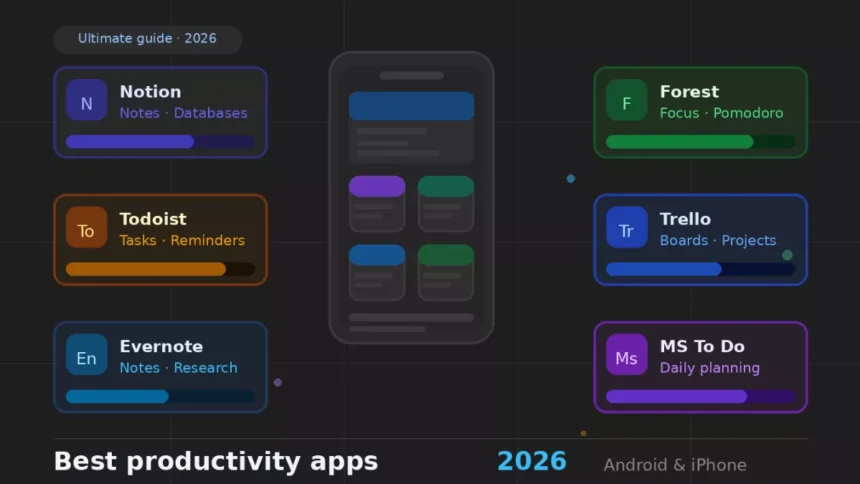
Smartphones in 2026 are powerful tools — and the biggest distraction in most people’s lives. The same device that helps you manage work, study, and creative projects is also the one killing your focus every 10 minutes.
The right apps change that. Whether you’re a student trying to meet deadlines, a professional managing complex projects, or a content creator chasing ideas — this list is built for you. Based on personal experience, these are the productivity apps for Android and iPhone that actually deliver in 2026.
What Makes a Good Productivity App?
You cannot consider every app a productive one. The app that does the work for you is the right choice, and others that add more notifications to your screen are worth nothing. Here are some of the key features of real productive apps:
Ease of Use
The apps that you use on a daily basis for 10–15 minutes are among the best apps, as they are the ones that don’t involve any entertainment or short-form content — they’re just used for completing the right tasks.
Cross-Platform Support
If an app forces you to choose between your Android phone and MacBook, it might not be the right productivity application for you. The best productivity apps are those that work seamlessly across devices.
Features and Integrations
The right app works well with your Google Calendar, email, or browser to boost your productivity. The more it helps your daily workflow, the fewer issues you face.
Free vs Paid Value
Most of the top apps allow premium features in their free version. Before upgrading, just ask yourself a simple question: Will upgrading the app solve my current problem? If the answer is yes, go for the upgrade without a second thought.
I consider the four factors mentioned above every time I use a new app and see if it’s worth my time investment or not.
Best Productivity Apps for Android & iPhone
Here are all the apps that I’ve tested over the months and got positive outcomes for my workflow. All my top choices are mentioned below:
Notion
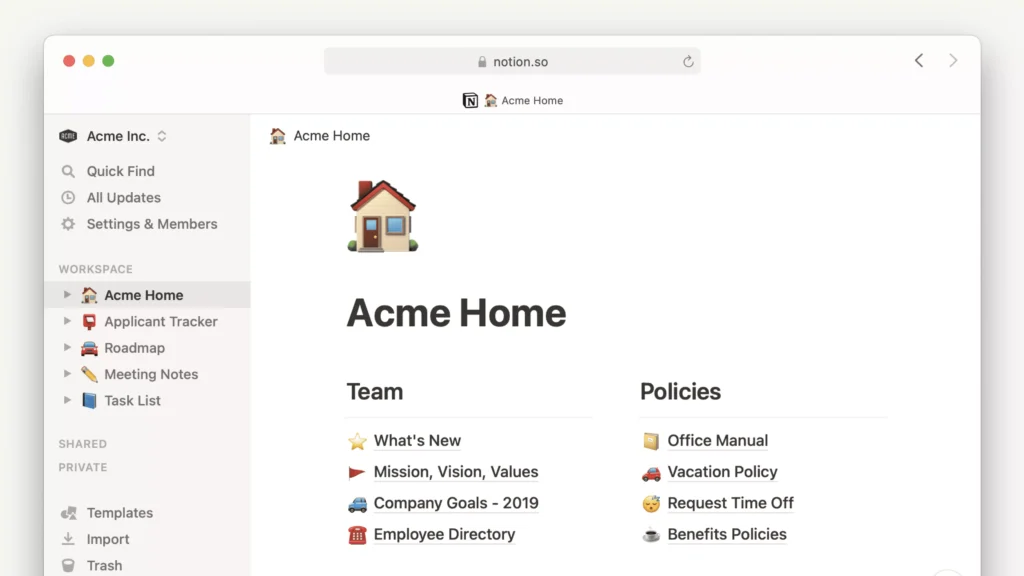
I would describe Notion as a complete all-rounder app that helps in the digital workspace, where you can access notes, databases, project boards, and wikis all in one place.
I tried Notion to create a content calendar and found that it can build almost anything — from a student planner to a client tracker. It’s highly recommended for students and teams.
Best for: Students completing their coursework and teams working on projects.
Standout features:
- Combine notes, tasks, and databases on a single page.
- Templates for study plans to product roadmaps.
- Real-time collaboration with teammates.
Available on both Android and iPhone, with a free plan.
Todoist
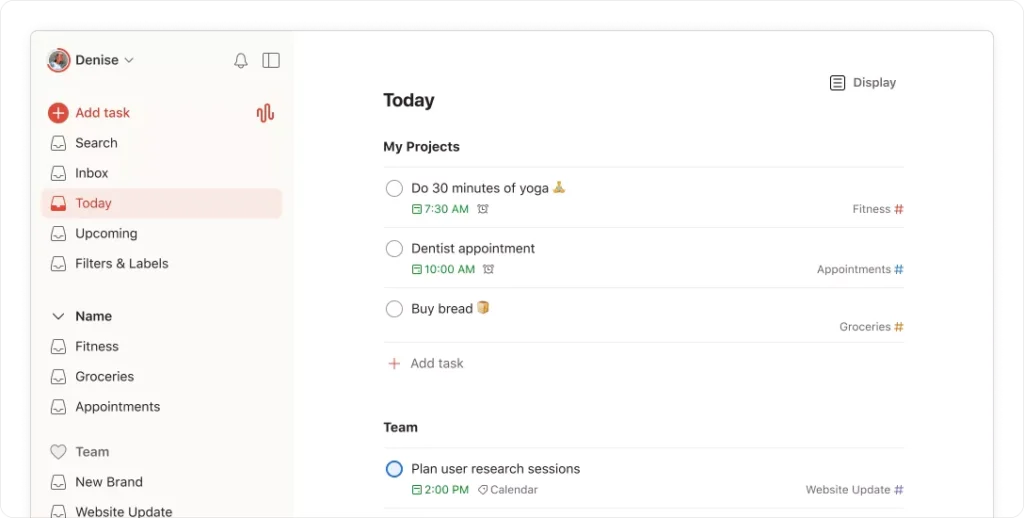
Todoist is the right app for those who are fed up with their task lists. With a clean interface, smart reminders, and smart scheduling, it’s one of the best task management apps available today.
Standout features:
- Natural language input works best — just type “Call client Friday at 3pm” and it does the work for you.
- Priority levels and project sections.
- Integrates easily with Google Calendar, Slack, and Gmail.
I use Todoist for daily work tasks. It’s satisfying to check off the most important task by noon.
Evernote
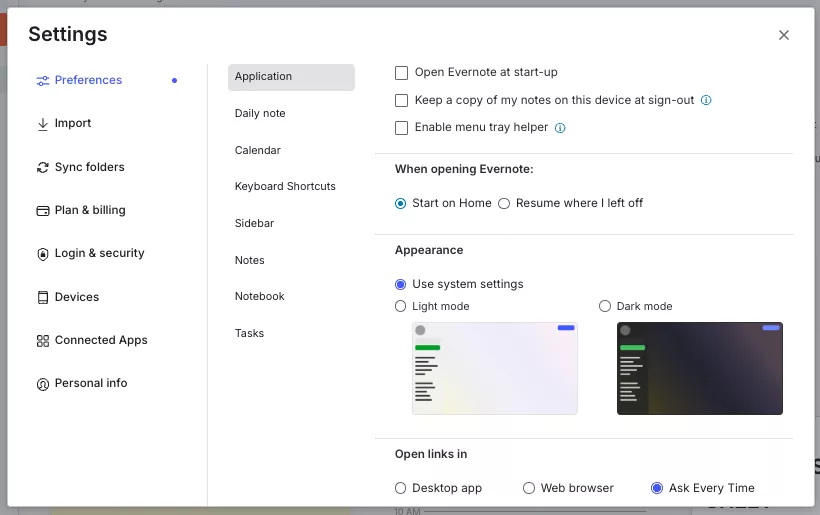
Evernote is one of the apps that has been around for over a decade and is one of the best apps to stay organised for those who use notes regularly.
Standout features:
- Add web articles, PDFs, and images directly into notes.
- Scans text inside images.
- Automatically syncs across all your devices.
I will suggest this app to users who work on articles and research papers, and to professionals who want to find notes fast.
Google Keep
Google Keep is my personal favourite for capturing every idea that comes to mind before it fades.
The process is very simple — just open the app and start typing, no setup needed. Whenever I need to save something valuable, Google Keep is my go-to choice any day.
Standout features:
- Colour-coded notes for visual differentiation between notes.
- Voice memos and checklists.
- Syncs instantly with your Google account.
It’s completely free and works smoothly with other apps to increase productivity.
Microsoft To Do
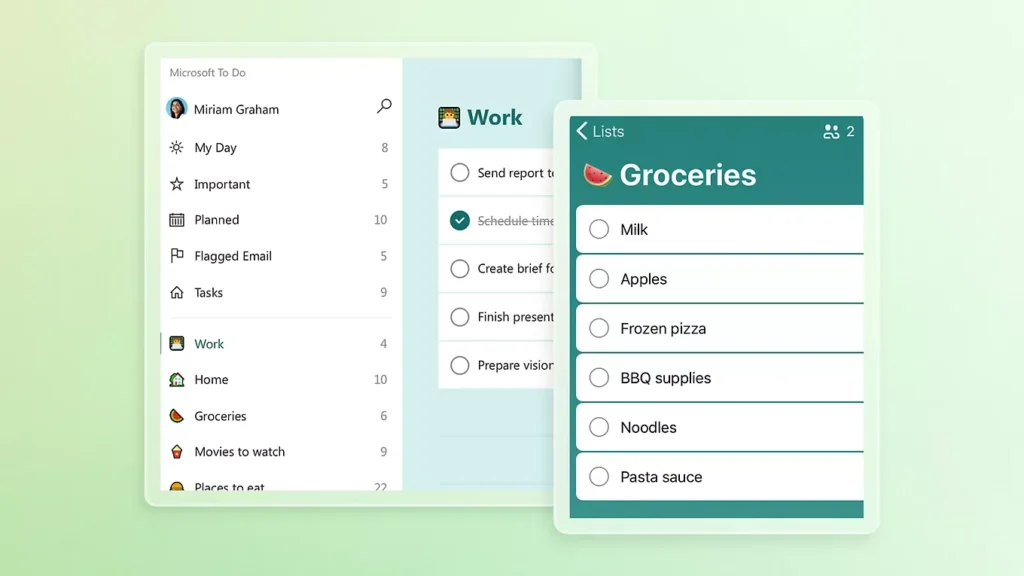
For daily planning, Microsoft To Do is way ahead of all the other options available in this list.
If you are a user of the Microsoft ecosystem — Outlook, Teams, Office 365 — this app can be the choice you need to make for a smooth experience.
Standout features:
- “My Day” view for daily planning
- Smart suggestions based on due dates and priorities set by you
- Easy integration with Microsoft 365
Trello
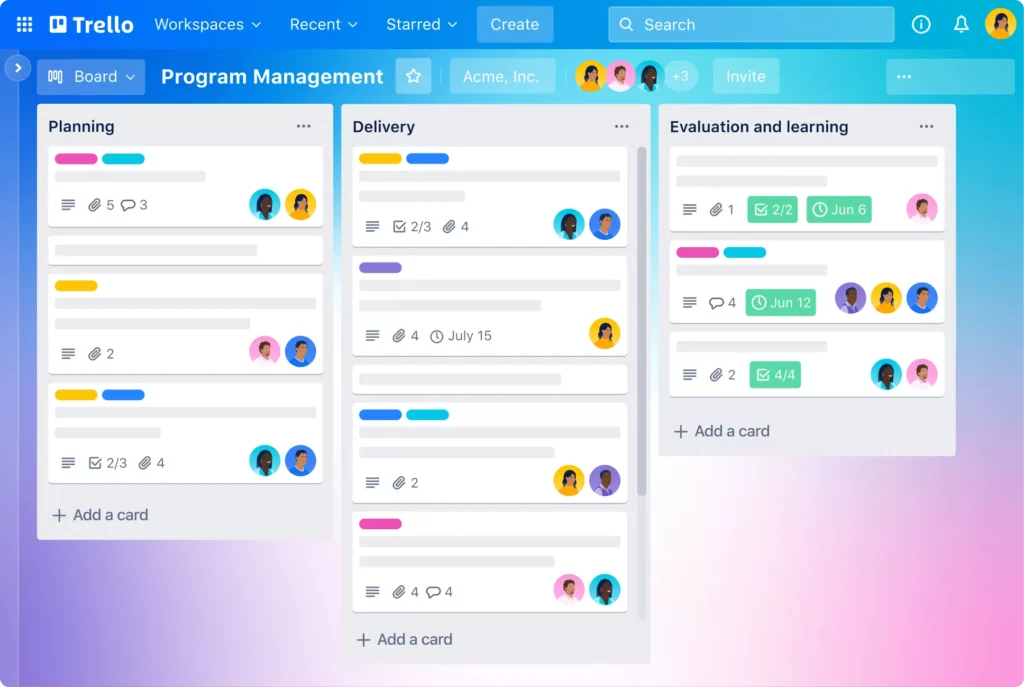
If you use Trello, spreadsheets won’t even come close to meeting your needs going forward. The app turns your projects into visual boards.
You can see each task on a card, and they are arranged across columns: To Do → In Progress → Done. I will recommend it for creative teams working together on projects.
Standout features:
- Drag-and-drop interface.
- Add checklists, attachments, and due dates to each card.
- Power-Ups for integrations with Slack, Google Drive, and more.
In my opinion, Trello is one of the best productivity apps for creative teams managing multiple moving parts.
Forest
Forest is a truly productive app as it solves your biggest distraction — the phone.
All you need to do is start a focus timer, and a virtual tree will begin growing. Whenever you use social media, the tree dies, and this simple philosophy of keeping the tree alive by using your phone less works wonders for me.
Standout features:
- Pomodoro-style focus sessions.
- Real trees are planted when you complete focus goals (via Trees for the Future).
- Focus history is tracked over time.
When I tried this app during my peak working schedule, I cut almost half of my phone-checking time. Ideal for those who are looking to cut back on phone use without forcing themselves to do so.
Best Productivity Apps by Use Case
Choosing the right app depends on the way you work. Here are the best choices for individuals from different backgrounds:
For Students
I think two things are most important for students — first, getting the right information, and second, completing their tasks on time.
Recommended apps: Notion and Google Keep work well together for students. Use Notion to build a semester planner, assignment tracker, and study notes hub. Google Keep can be your companion for noting down important reminders, questions, and quick insights during lectures. Adding these free apps on both Android and iPhone can help students get their work done on time.
For Professionals
Meetings, completing priorities, and team dependency are some of the key challenges for professionals. Here are the task management apps that can save you a headache.
Recommended apps: Use Todoist for personal task management and Trello for team project tracking. Using them together can address both your personal and team needs without any problem.
For Creators
Creators like writers, designers, and video producers need constant inspiration to execute their ideas. The tools that help them capture ideas fast and keep their workflow visible are the right choice.
Recommended apps: Notion for building content pipelines and idea libraries, Forest for protecting deep work sessions from distraction, and Evernote for research and managing references during your working hours.
Free vs Paid Productivity Apps
In my opinion, the best productivity apps in 2026 offer a free plan for their users, and for the majority of them, it’s enough. Here are the features of the free versions for each app and when to upgrade them.
What You Get for Free
The free plans of the top apps are actually very helpful for many working professionals — it’s just that they are not well explored.
- Notion Free — unlimited pages, basic collaboration, and template access
- Todoist Free — up to 5 active projects, basic reminders, and task priorities
- Trello Free — unlimited cards, up to 10 boards per workspace, and basic Power-Ups
- Google Keep — completely free with no paid tier
- Forest Free — advanced focus timer with basic tree-planting features
For students and solo professionals, these free plans are more than enough. An upgrade is only required when the workload grows and can no longer be managed under the free plan. When I started using Todoist, the free version served me well for over six months before I needed more from it.
When to Upgrade
I will suggest upgrading any productivity app only if the free plan doesn’t solve your daily workload needs. It’s never advisable to upgrade just to access fancy features that won’t be useful to you.
Consider upgrading if:
- You have to manage more than 5 active projects simultaneously (Todoist Pro)
- Your team needs advanced permissions and admin controls (Notion Team, Trello Premium)
- You rely heavily on offline access and large file attachments (Evernote Personal)
- You want detailed productivity analytics to review your work habits.
According to Todoist’s 2024 product documentation, the average Pro user completes 20% more tasks than a user on the free version of the app.
The rule I follow: if a paid app saves a lot of my time and helps me get more done, I just go for it.
Tips to Boost Productivity Using Apps
Just downloading the right app won’t make a difference. It’s how you use them that matters. I suggest the following habits:
Set Daily Goals
Before you start your work for the day, write down your top 3 priorities — no more than that. Apps like Todoist and Microsoft To Do have a dedicated “Today” or “My Day” view for exactly this purpose. Using it every day for just two minutes can set the right roadmap for the day ahead.
Use Reminders Intentionally
Reminders set too early can be dismissed or ignored, which makes it important to set them 30–60 minutes before a task needs your attention. That’s sufficient time to get yourself ready for the allotted work.
Avoid App Overload
This is the most common mistake made by individuals who want to genuinely improve their productivity via apps. They download six apps and end up spending all their time managing them without doing any real work.
Pick one app per function:
- One for tasks
- One for notes
- One for focus
Keep a limited number of apps with limited tasks to get the best output possible.
Combine 2–3 Apps Only
Combining three apps has worked wonders for me, but when I tried using more, productivity started to fade.
A simple combination that works well:
- Notion for notes and planning
- Todoist for daily tasks
- Forest for focused work sessions
These three apps cover the complete productivity cycle for many individuals. You can plan, execute, and focus without any overlap.
Pros and Cons of Productivity Apps
Every productivity app has its own pros and cons. Here are the ones for all the productivity apps mentioned in this guide.
Pros
Better Organisation
A to-do list can turn your day into a nightmare, and using the right tool removes the mental burden from your daily life while also improving focus.
Apps like Notion and Evernote are the best ones to use as your second brain, storing and retrieving information at the right time.
According to a 2023 study by the American Psychological Association, using external tools to manage your tasks and goals can help with better decision-making.
Time Management
Task management apps like Todoist and Microsoft To Do help give your day a structure that you can follow with ease. Deadlines become visible, priorities become clear, and you start working on what actually matters.
When I used Todoist to plan my day, most of my high-priority tasks were completed before lunch, which saved me significant time.
Cons
Over-Reliance
Relying on a single tool is both beneficial and risky. Imagine planning your daily tasks and reminders on a single app, and it goes down due to discontinuation or a pricing hike. Without a backup, depending on a single app can be risky for many working professionals.
I will recommend keeping a backup of all the data you store on these apps.
Too Many Apps Can Reduce Efficiency
Sometimes, searching for the best apps to stay organised can itself become the main cause of time wastage.
The solution is to find the right app after thorough research and stick to it for months to get actual results.
Conclusion
Don’t expect productivity apps to do the work for you. They are a helping hand in your daily workflow. From a workspace app like Notion to a focus app like Forest, every app solves a different problem. The key is to find the right fit for your working style. In the beginning, start with one or two apps, use them for over two weeks, and monitor whether they work for you. If not, then explore other options available.
Which is the best productivity app?
Are productivity apps free?
Most productivity apps offer a free plan. All top apps like Notion, Forest, Trello, Todoist, and Google Keep offer free tiers to get started. Combining Google Keep with it helps save all your important insights.
Which app is best for students?
Notion is the top choice for students who want to handle notes, track assignments, and plan their semester. Combining Google Keep with it helps to save all your important Insights.
Do productivity apps really work?
Yes, productivity apps for Android and iPhone work really well. You just need to find the right one as per your daily needs at work.
Can I use multiple productivity apps together?
Yes, you can, but keep it to two or three at most. Using too many productivity apps for iPhone and Android can cause more time wastage. Notion for planning, Todoist for tasks, and Forest for focus can work best for the majority of phone users in 2026.