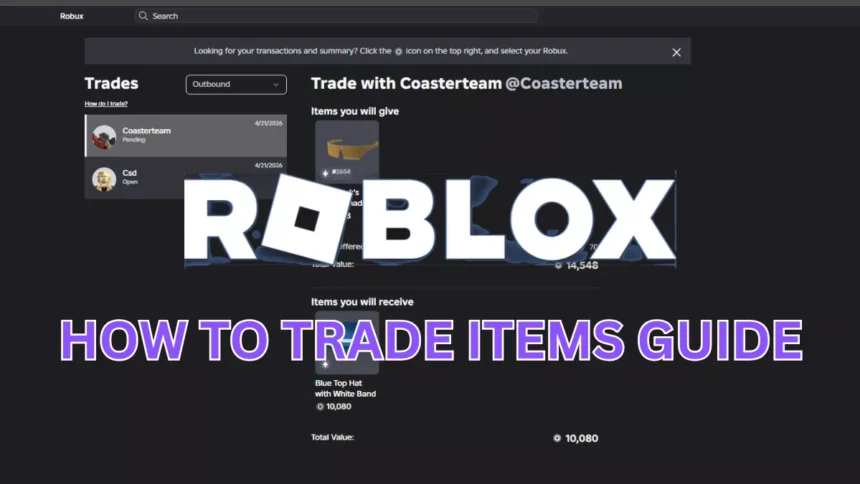
Trading in Roblox can feel overwhelming when you are just starting out. It is easy to undervalue your items, misread a deal, or run into traders who are looking to take advantage of inexperienced players.
This guide breaks down how trading works in Roblox in 2026, from the basic requirements and rules to reading item values and building a stronger inventory over time. Whether you are making your first trade or looking to sharpen your approach, this covers everything you need to know.
What Is Roblox Trading?
Roblox trading is a platform feature that allows players to exchange certain items with each other directly. Not all items are eligible for trading.
Only two specific categories qualify:
- Limited items: Items that were available in the Avatar Shop for a set period and are no longer on sale.
- Limited U items: Items released in a fixed quantity, each with a unique serial number.
Standard Avatar Shop items that remain permanently available cannot be traded, and Robux itself cannot be transferred between players through the trade system.
One thing that makes Roblox trading more interesting than it first appears is that every tradeable item carries a community-assessed value. Some item values increase over time, some remain steady, and some decrease. Experienced traders use this to their advantage through a practice known as flipping, which involves acquiring undervalued items and trading them for items of higher value. It requires research and patience but can be an effective way to build a stronger inventory over time.
Requirements to Trade in Roblox

Before you can start trading, there are four requirements to meet:
- Roblox Premium membership: Both you and the player you are trading with must have an active Roblox Premium subscription. Premium also includes a monthly Robux stipend as a separate benefit. Visit the official Roblox Premium page for current pricing, as plans are subject to change.
- Limited items in your inventory: You must have at least one Limited or Limited U item to offer. Standard catalog items that are always available cannot be used in a trade.
- Trade settings enabled: Trading is turned off by default. You will need to enable it manually through your account’s privacy settings. More detail on this is covered in the next section.
- Age requirement: Players under the age of 13 are not permitted to use the trade system, regardless of whether all other requirements are met. This is a platform-wide policy.
How to Enable Trading in Roblox
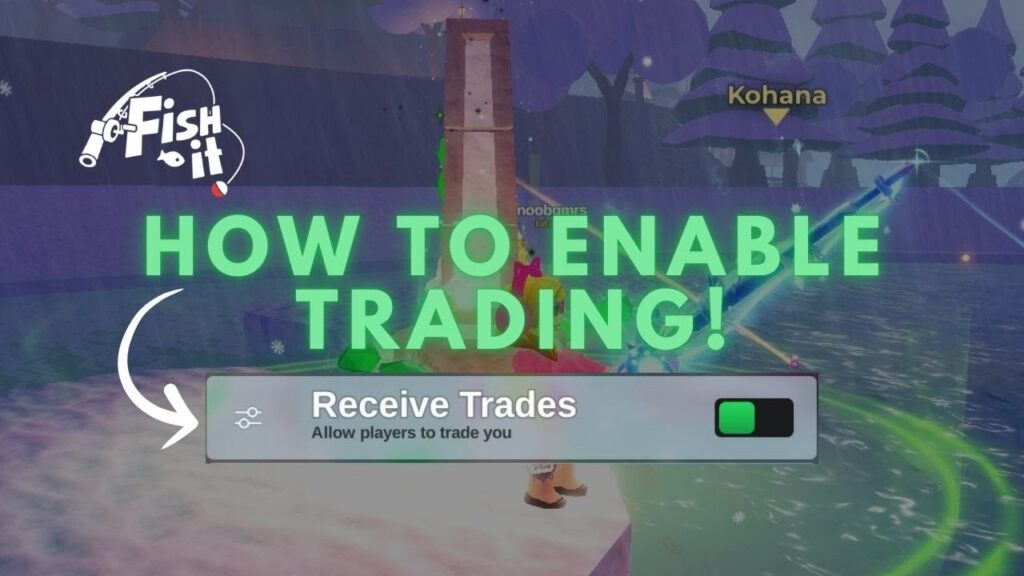
I wasn’t aware of how to do it at the start. Here’s how you can turn it on:
- Click the gear icon in the top right corner to open Settings.
- Go to the Privacy tab.
- Find the “Who can trade with me?” option.
- Set it to Friends or Everyone depending on your preference.
- Click Save.
For new traders, setting this to Friends is the safer starting point. It limits incoming trade requests to players you have mutually added, which reduces unwanted requests from unknown players while you are still learning how the system works.
How to Trade Items in Roblox (Step-by-Step)
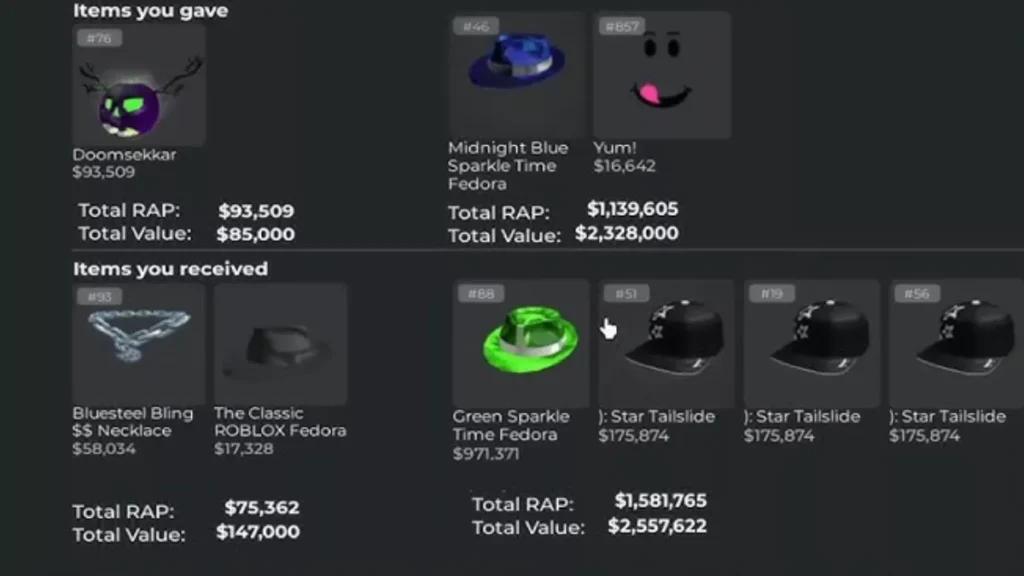
Once you understand how to enable trading on the platform and have completed the above setup, here’s the process on how to trade items in Roblox in 2026:
- Go to the player’s profile with whom you want to trade.
- Click the three dots (…) button in the upper-right corner of their profile.
- Select “Trade Items” from the dropdown menu.
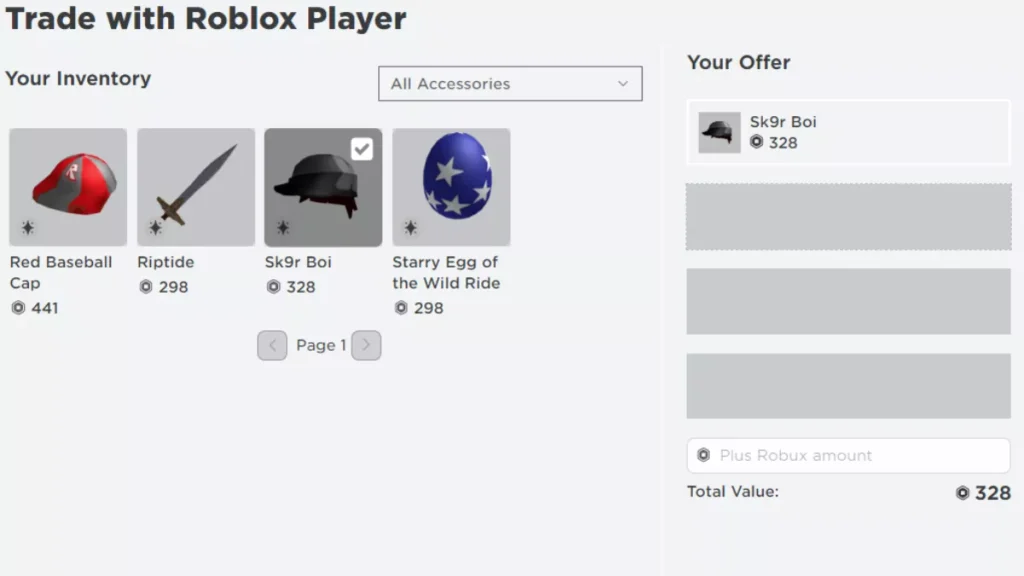
- A trade window appears; on the left side, you see your offer, and on the right, the offer by the other player.
- Select up to 4 items (plus Robux) from each side.
- After reviewing everything, click on the Send Trade Request.
Your trading partner will get a notification to accept or decline. You can add Robux, but it cannot exceed 50% of the total trade value, and trades are final once accepted.
How to Check Trade Status
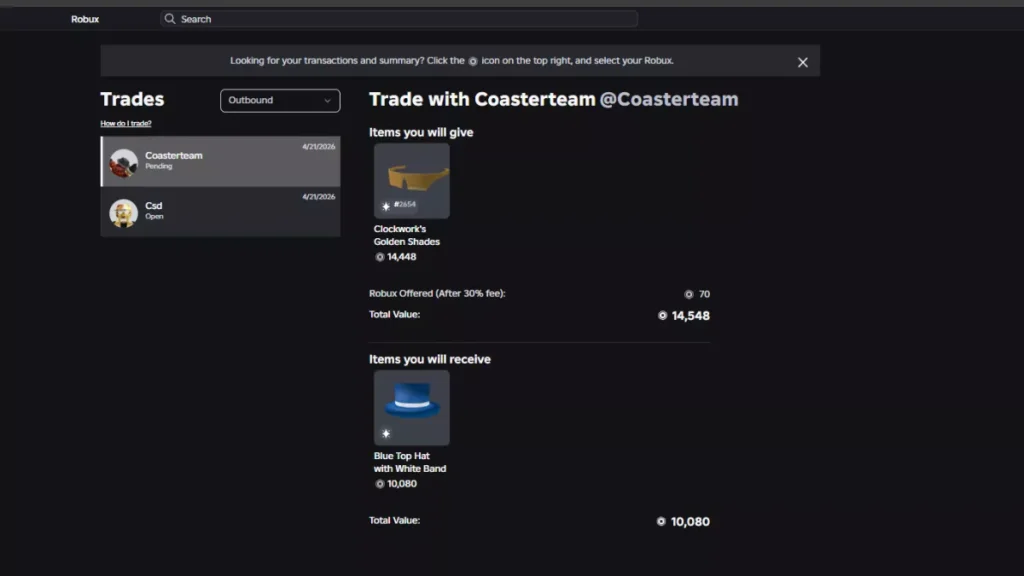
Once you send a trade request, it can be monitored from the Trades page available on the left navigation menu of Roblox on desktop. Here are the different options you can see:
- Pending trades – here you can see all the trades sent by you but are waiting for the response of the other player.
- Accepted / Declined trades – here you can see all the accepted or declined trades of your Roblox account.
- Trade history – Here you can see the list of your completed trades on Roblox and can use it for tracking your progress and analyzing the trade patterns in the future.
Best Tips for Successful Trading
The following are the Roblox trading tips that I wish I had when I started trading on the platform:
- Firstly, learn item values before any other aspect of trading on Roblox. The community tool Rolimons.com is the only genuine resource for checking live item values, RAP (Recent Average Price), demand tiers, and trade charts. RAP is a useful source, but always make sure to cross-verify the actual market value, as it doesn’t show the right value at times.
- Avoid overpaying even if you’re excited. Especially for high-demand items like Dominus accessories or vintage Valkyrie helmets, I’ll advise you to think and then react to avoid overpaying.
- It’s most important to be patient. I’ve seen the best traders on Roblox to be the most disciplined ones. It’s better to wait for the right offer rather than accept a bad one.
- Also joining trading communities, Discord servers, and in-game hubs like Trade Hangout can help you learn how big traders think and act during live trading.
Common Trading Scams to Avoid
I almost experienced a scam during one of my trades on Roblox, so here are things you should watch for in Roblox limited item trading.
- Fake trade bots – beware of automated accounts that send you tons of requests for trades for undervalued items.
- External trade links – If anyone offers to conduct a trade outside Roblox, it is a scam. And if players try to do so, then it can lead to a permanent account ban due to Roblox’s policy violations.
- Too-good-to-be-true offers – If someone offers you an item worth 50,000 RAP and in return asks for your item worth only 5,000 RAP, something is wrong.
I will suggest you always use the official Roblox trade interface and enable two-factor authentication (2FA) on your account to be safe from such scams.
Can you make a profit from trading?
Yes, but it requires research and patience rather than luck or instinct.
The most common approach is flipping, which involves acquiring undervalued limited items and exchanging them for items with a higher RAP (Recent Average Price) or stronger market demand. RAP is a community-tracked metric that reflects the average price a given item has sold for recently and is a useful starting point for assessing an item’s current value.
Timing matters when flipping. Limited items can increase in value after they are discontinued, but this is not guaranteed. Demand, original supply, and community interest all affect how a discontinued item performs over time. Seasonal events can create temporary spikes in demand, but prices may settle once the event ends.
Flipping is not a reliable or guaranteed way to profit and carries real risk, particularly for new traders who are still learning how to assess item values. Approach it as a long-term learning process rather than a quick way to build wealth, and start with lower-value items until you have a solid understanding of how the market moves.
FAQs
1. Do I need Roblox Premium to trade?
Yes, you and the person with whom you’ll trade should have a premium subscription to Roblox. There’s no option other than this to work.
2. What items can be traded in Roblox?
Only limited and limited U items from the Avatar Shop, plus Robux (not alone), can be traded on Roblox.
3. How do I know if a trade is fair?
It’s advised to check both items on Rolimons.com before accepting the trade. Compare the recent trade history, RAP, and demand tier, and it should be around 10-15% of equal value from both sides to be considered a fair trade.
4. Can I cancel a trade in Roblox?
You can only cancel a pending trade before the other person accepts it. Once accepted, you can’t do anything.
5. Are Roblox trades safe?
Yes, Roblox item trades are safe only if you use the official system. Using external platforms for trade can result in scams and permanent Roblox account bans.
6. Can beginners start trading in Roblox?
Yes, you can learn about the trade market with Rolimons, join the Discord community, and also start with lower-value limiteds. After having a good experience on the platform, you can try some big item trades.
I hope you enjoyed my personal guide on how to trade in Roblox. For any queries and suggestions, you can reach out to me in the comments below.