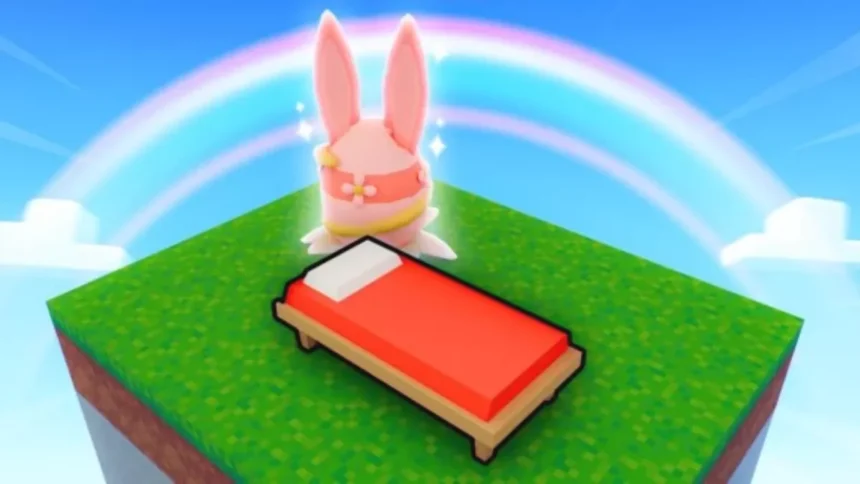
At first, I assumed that creating a Roblox game required years of programming experience. That turned out to be far from the truth.
In reality, anyone with a free Roblox account, a basic game idea, and a few hours can build and publish a playable game on the platform using Roblox’s built-in tools. The creator ecosystem has grown significantly, with Roblox reporting over $1 billion in total creator payouts in recent years, and some games regularly drawing hundreds of thousands of concurrent players.
My own starting point was a simple obstacle course, known in the Roblox community as an obby, which taught me the basics of game design without any prior coding experience. Here is the full process for 2026.
What You Need to Start Creating a Roblox Game
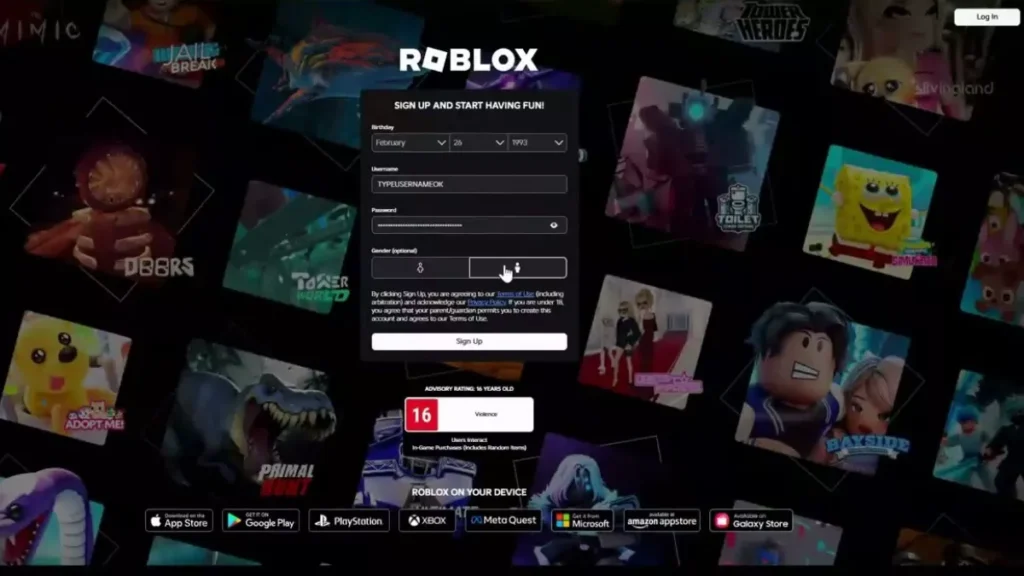
What you need to start creating a Roblox game
Getting started requires very little. Here is what you need:
- A Roblox account: Free to create at roblox.com.
- Roblox Studio: The free desktop application used by creators on the platform to build, script, and publish games. Download it directly from the Roblox website.
- A game idea: Even something simple works as a starting point. An obstacle course with basic hazards like lava or moving platforms is one of the most common first projects for new creators.
In 2026, the barrier to entry is lower than it has ever been. Roblox Studio has a redesigned interface that is more beginner-friendly, and the Creator Store offers a large library of free assets including models, audio, and plugins that you can drop straight into your project.
No paid software, subscriptions, or prior development experience are required. If you can download an app and follow instructions, you have everything you need to get started.
How to Download and Install Roblox Studio
Roblox Studio is a free desktop application and the primary tool used by creators on the platform to build and publish games. Follow these steps to get it set up:
- Go to roblox.com and log in to your account.
- Click on the “Create” tab in the top navigation menu and select “Start Creating.“
- The download will begin automatically. Save the installer to your device.
- Run the installer once the download is complete.
- Open Roblox Studio and sign in using your Roblox account credentials.
Once you are in, you will see a dashboard showing available templates and any previously saved projects.
Before you start building, it is strongly recommended to verify your email address and enable two-step verification on your account. These steps add an important layer of security and help ensure you retain access to your account and projects if it is ever compromised.
Understanding the Roblox Studio Interface
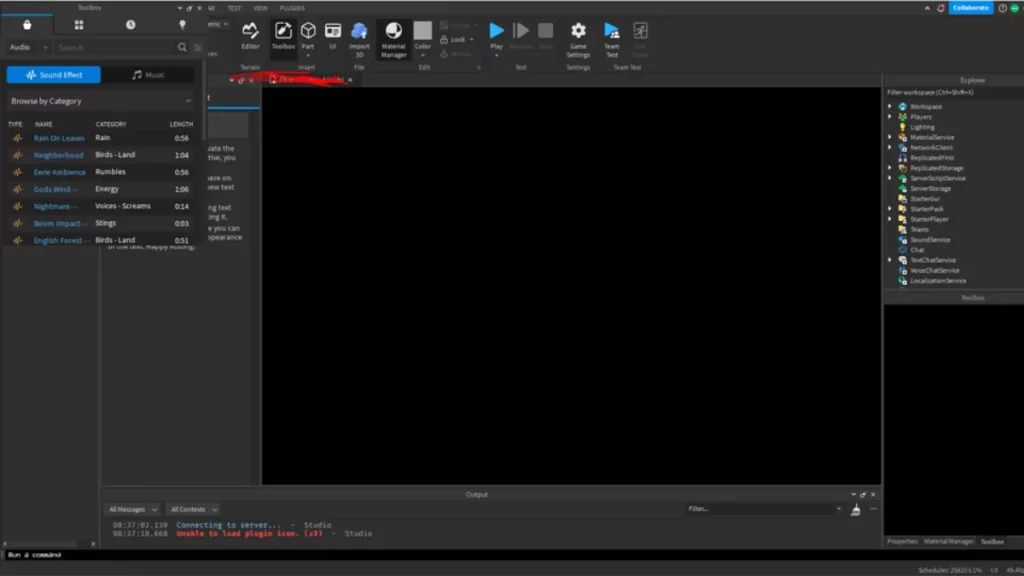
Roblox introduced a redesigned and customizable UI in late 2025, featuring expanded menus, consolidated Play and Test controls, and a Viewport menu that makes it easier to debug your game as you build. If you have used older tutorials, some options may look different from what you remember.
Here is an overview of the key panels you will use:
- Explorer panel: This shows the complete hierarchy of everything inside your game, including parts, scripts, models, and services. Think of it as the file system for your entire project.
- Properties panel: When you select any object in your game scene, this panel displays its adjustable settings such as size, colour, material, and transparency. It is where you fine-tune individual elements.
- Toolbox: This is your access point to the Creator Store, where you can search for free models, audio files, and plugins. It means you do not need to build every asset yourself, which is particularly useful when starting out.
- Workspace: This is the central area where your game world lives. Right-click and drag to rotate the camera, scroll to zoom in and out, and hold right-click while pressing WASD to move through the scene.
Before starting your first project, spend some time just clicking through the panels and getting a feel for the layout. It is a small investment that will save you a lot of confusion later on.
How to Create Your First Roblox Game
Here is the step-by-step process for building and testing your first game in Roblox Studio:
- Open Roblox Studio from your desktop or applications folder and sign in to your Roblox account.
- Choose a template: Click “New” and browse the available templates. Common starting points include Obby for obstacle courses, Tycoon, Simulator, City, and Racing. If you prefer to build from the ground up, select the blank Baseplate template and add elements yourself.
- Add objects using the Toolbox: Search for free models in the Creator Store and drag them into your workspace. You can also create basic shapes such as blocks, spheres, and cylinders using the Part tool, then position them using the Move, Scale, and Rotate tools in the top menu. When using community-uploaded models, stick to those from verified or trusted creators to avoid models that may contain malicious scripts.
- Customize terrain and environment: Open the terrain editor to sculpt hills, flat ground, and water. You can also adjust the mood and atmosphere of your game by modifying the Lighting object in the Explorer panel, changing properties like brightness, colour, and time of day.
- Test constantly: Press the Play button at any point to experience your game from a player’s perspective without leaving Studio. Test regularly as you build rather than waiting until the end, as catching issues early is much easier than fixing them after the game is fully built.
- Save your game: Go to File and select “Save to Roblox” to save your progress to the cloud. Enable autosave in Studio settings as an additional safety net so your work is not lost if the application closes unexpectedly.
How to Add Scripts to Your Game
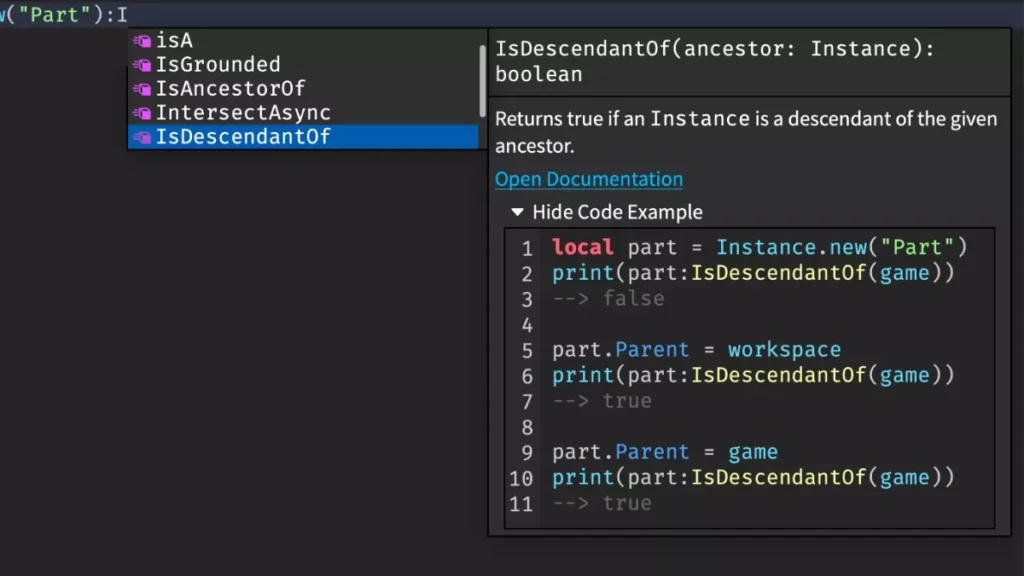
Even I got scared when I heard about the game scripting, but that wasn’t the reality. Roblox uses Lua (Scripting is the part that intimidates most new creators, but it is more approachable than it looks. Roblox uses Luau, its own modified version of Lua, which is designed to be readable and beginner-friendly.
A good starting point is inserting a script into any part via the Explorer panel and writing a few lines to trigger a colour change when a player touches it. Small experiments like this build understanding quickly without needing to learn everything at once.
Some reliable beginner resources include:
- Official Roblox Creator Documentation: Comprehensive and regularly updated guides covering all aspects of Studio and Luau.
- AlvinBlox on YouTube: Covers Luau scripting fundamentals in a format suited to beginners.
- Roblox Developer Forum: A place to find practical code examples and get answers from experienced creators in the community.
You do not need to master scripting before publishing your first game. Start simple and build your skills gradually using the resources above.
How to Publish Your Roblox Game
Before making your game public, set it to private and invite a small group of friends to test it. Gather feedback on bugs, functionality issues, and UI problems, and address them before the public release.
When you are ready to publish, follow these steps:
- Go to File and select “Publish to Roblox.”
- Add a clear title and description for your game.
- Set the privacy to public.
- Click Publish.
Since a significant portion of Roblox players access the platform on mobile, it is worth testing your game on a phone before publishing. In Roblox Studio, go to Play, then Devices, and select Phone to simulate the mobile experience.
How to Monetize Your Roblox Game
Once you gain good players for your game, the built-in monetization options by Roblox come into play. Here are the different options you can choose for earning from your game:
- Game Passes – Game passes offer permanent perks with a single purchase, which include double jump, VIP access, and special abilities. 70% of the Robux revenue from the game pass is given to the game developer.
- Developer Products – repeatable purchases like in-game currency, extra lives, or boosts can be another great option for developers to monetize their game.
- Ads & Engagement Payouts – Roblox’s Creator Rewards Program pays developers based on the daily active spenders on the game. The earnings grow with better ad placement and an increase in the number of players.
To get your first cash through DevEx, you need to complete the mark of 30,000 Robux at the rate of $0.0038 per Robux in 2026, which sums up to around $114 USD
Tips to Make a Successful Roblox Game
The following are some of the genuine Roblox game making tips that I wish I’d had before developing games on Roblox:
- Focus on simple ideas first – start with a simple game idea that you can describe in one sentence. I advise you to go with simple games first and, after learning, start building a bigger one.
- Learn from popular games – The best practice that I followed to improve my game was to play the top games of my genre and learn the UI interface placements, color combos, where to place rewards, and more to improve the overall game experience for players.
- Update regularly – This is very important as games with constant updates are more likely to stay in the Roblox search algorithm. You can add a new theme or a new character to stay visible.
- Engage with players – Creating a Discord server, replying to players, and taking suggestions from them are very important to run a successful Roblox game, in my experience.
Common Mistakes to Avoid
- Overcomplicating the first game – Even I went out to develop an RPG game and later realized that first I should start small and later grow, and the same is recommended to you.
- Ignoring UI/UX – Dense menus and unclear objectives are some of the major reasons for losing players in Roblox games. Try to keep your interface clean and on point from day one.
- Not testing gameplay – The most common mistake that I observed the new developers making is that they skip mobile testing of the game, and it later results in loss of players. So before you publish the game, always do the mobile testing of it.
1. Is it free to create a Roblox game?
Yes, you can create your game on the platform with the help of Roblox Studio, free to download and use, without spending any money from your pocket.
2. Do I need coding skills to make a Roblox game?
No, you can start your first game creation with the help of drag-and-drop tools and available templates present in the Roblox Studio. Later, you can learn more about Lua scripting to improve your games.
3. How long does it take to make a Roblox game?
A simple Obby can be created in a single day. But if you try to create simulators, then the time may go up to multiple days. The more complex the game, the more time it’ll take to create it.
4. Can I earn Robux from my game?
Yes, game passes, developer products, and creator rewards are some of the monetization options provided by Roblox. You can then convert Robux into real money through the DevEx program.
5. What is Roblox Studio used for?
Roblox Studio is the complete game development tool by Roblox that allows you to design game environments, write scripts, build UI, test, and publish your game on the platform.
6. Can beginners create successful Roblox games?
Yes, you just need to understand the basics of Roblox Studio game creation, and with consistent daily progress, you can start creating successful games and earn Robux, which then converts into real currency via the DevEx program.
With this, we end our How to create a game in Roblox 2026 guide. For more info on Roblox, stay connected with Fandom Scoop.